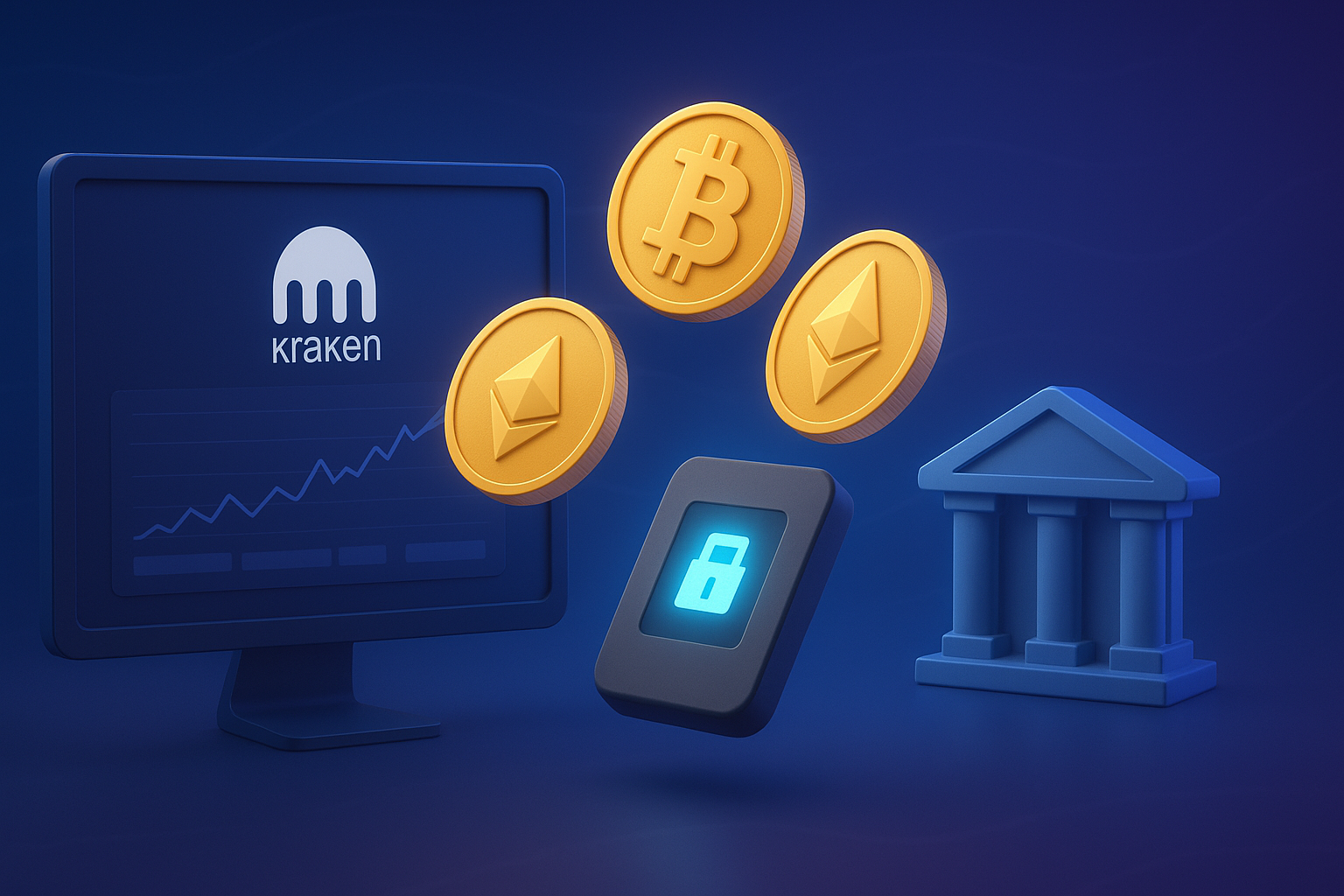
Kraken stands as one of the oldest and most trusted cryptocurrency exchanges in the industry, serving millions of users since 2011 without ever losing customer funds to a security breach. Whether you want to withdraw crypto from Kraken to your personal wallet for self-custody or convert your digital assets to cash and transfer funds to your bank account, understanding the withdrawal process ensures smooth and secure transactions.
This comprehensive guide provides everything you need to know about withdrawing from Kraken, including detailed step-by-step instructions for multiple withdrawal methods, current fees and limits, processing timeframes, and essential security practices specifically tailored for users in the United States.
Understanding Your Kraken Withdrawal Options
Kraken offers flexible withdrawal methods designed to accommodate different user needs and preferences. You can withdraw crypto from Kraken exchange directly to external wallets like Ledger, MetaMask, or other cryptocurrency platforms. Alternatively, you can convert your cryptocurrency to US dollars and withdraw to your bank account via ACH transfer. Each method serves distinct purposes depending on your investment strategy and immediate needs.
Crypto-to-wallet withdrawals work best when you want complete control over your private keys or need to move assets to decentralized finance protocols, NFT marketplaces, or other exchanges. Bank withdrawals make sense when you need fiat currency for living expenses, tax obligations, or other financial commitments. Understanding which method aligns with your goals helps you make informed decisions about managing your cryptocurrency investments.
Prerequisites Before Withdrawing from Kraken
Before initiating any withdrawal from your Kraken account, you must complete certain requirements. Account verification plays a critical role in determining your withdrawal capabilities and limits.
Verification Levels and Their Impact
Kraken operates with multiple verification tiers that directly affect your withdrawal limits. Starter accounts allow basic functionality but come with restricted withdrawal capabilities. Intermediate verification unlocks substantially higher limits and is suitable for most individual users. Pro verification provides the highest limits and full platform access.
For cryptocurrency withdrawals, Starter and Express accounts can withdraw up to $5,000 daily, Intermediate accounts can withdraw $500,000 daily and $15 million monthly, while Pro accounts can withdraw up to $1 million daily with significantly higher monthly limits. These limits apply across all cryptocurrencies combined, not per individual asset.
Fiat withdrawal limits follow a similar structure. Intermediate accounts have daily fiat withdrawal limits of $100,000 and monthly limits of $500,000, while Pro accounts can withdraw $10 million daily and $100 million monthly. Plan your withdrawals according to your verification level to avoid unexpected restrictions.
Completing Identity Verification
To advance your verification level, navigate to Account Settings and select Get Verified. You will need to provide personal information including your full legal name, date of birth, residential address, and Social Security number for US residents. Additionally, you must upload a government-issued photo ID such as a passport, driver’s license, or state ID card.
The verification process typically completes within minutes for Starter and Intermediate levels. Pro verification may take several business days as it involves additional compliance checks. Complete higher verification levels before you need to make large withdrawals to avoid delays when time-sensitive transactions arise.
How to Withdraw Crypto from Kraken to External Wallet
Transferring cryptocurrency from Kraken to an external wallet provides you with complete custody of your digital assets. This method works for sending funds to hardware wallets, software wallets, or other cryptocurrency exchanges.
Detailed Step-by-Step Instructions
Step 1: Log into your Kraken account and navigate to the Funding section. You can access this through the main navigation menu at the top of the page or from your account dashboard.
Step 2: Click the Withdraw button. A dropdown menu will appear showing all your available balances across different cryptocurrencies and fiat currencies.
Step 3: Select or search for the specific cryptocurrency you want to withdraw. Use the search bar if you have many assets in your portfolio to quickly locate the desired cryptocurrency.
Step 4: Choose the correct blockchain network. This step is absolutely critical because selecting the wrong network results in permanent loss of your funds. Different cryptocurrencies can be withdrawn on different networks, and you must always select the same network that your receiving wallet uses. For example, if withdrawing USDT, you might choose between Ethereum (ERC-20), Tron (TRC-20), Polygon, or other networks. Verify your destination wallet supports your selected network before proceeding.
Step 5: Add or select your withdrawal address. Click Add Address if this is your first withdrawal to this destination. Enter the complete wallet address carefully, checking every character. Use copy-paste rather than manual typing to minimize errors, but always verify the pasted address matches your intended destination.
Step 6: Include memo or tag information if required. Some cryptocurrencies and exchange deposits require an additional memo, destination tag, or payment ID. If withdrawing to another exchange, verify whether a memo is needed. If sending to a personal wallet, you typically select “No memo required.”
Step 7: Enter the withdrawal amount. Review the network fee that will be deducted from your withdrawal. The displayed amount shows exactly how much cryptocurrency will arrive at your destination address after fees.
Step 8: Complete security verification. Kraken will prompt you to enter your two-factor authentication code from your authenticator app. You may also need to verify the withdrawal through email confirmation depending on your security settings.
Step 9: Submit your withdrawal request. After final confirmation, Kraken begins processing your withdrawal. You can track the status in your transaction history under the Recent section.
Important Considerations for External Withdrawals
Certain transactions trigger a temporary 72-hour withdrawal hold on your account for security purposes, including ACH purchases, PayPal transactions, and debit or credit card purchases. Additionally, cash deposits via ACH Plaid are held from withdrawal for 7 days. These security measures protect against fraud and unauthorized access but require planning ahead for time-sensitive transfers.
Always conduct a small test transaction when withdrawing to a new address for the first time, especially for large amounts. Send a minimal amount first to verify the address works correctly and your receiving wallet properly displays the funds. Once confirmed, you can confidently proceed with your full withdrawal amount.
How to Withdraw Crypto from Kraken to My Bank
Converting cryptocurrency to US dollars and withdrawing to your bank account requires several preparatory steps but provides straightforward access to your funds in fiat currency.
Requirements for Bank Withdrawals
Your Kraken account must be verified to at least Intermediate level for fiat withdrawals. Your bank account must be located in the United States and registered under the same legal name as your Kraken account. Residents of Texas and New York are not eligible to use ACH services, though alternative withdrawal methods may be available.
Before initiating a bank withdrawal, you must link your bank account to Kraken. The platform uses Plaid for secure bank connections, which allows you to instantly link your account by providing your online banking credentials. Alternatively, you can manually add bank details including your account number, routing number, and bank name.
Complete Bank Withdrawal Process
Step 1: Convert your cryptocurrency to USD. Navigate to your cryptocurrency wallet within Kraken. Select the asset you want to convert and choose Sell or Trade. Specify that you want to sell for USD, which will deposit the fiat amount into your USD balance.
Step 2: Access your USD balance. Go to the Funding section and select USD from your available balances. Click the Withdraw button to begin the withdrawal process.
Step 3: Choose ACH as your withdrawal method. For eligible US clients, Kraken provides a free and fast way to withdraw funds to your bank account via ACH. Select ACH from the available funding providers.
Step 4: Select your linked bank account. If you have multiple bank accounts connected, choose the destination account from the dropdown menu. If this is your first withdrawal, you may need to complete additional verification steps.
Step 5: Enter the withdrawal amount. Specify how much USD you want to transfer to your bank. Withdrawals below $1 million will be processed on the same day if submitted before 2 PM EST. Keep this timing in mind for faster processing.
Step 6: Review withdrawal details. Verify the destination bank account, withdrawal amount, and any applicable fees. ACH withdrawals are typically free from Kraken’s side, though your bank may impose its own charges.
Step 7: Confirm and submit your withdrawal request. Complete any required security verification steps including two-factor authentication. You will receive confirmation that your withdrawal has been initiated.
Processing Times for Bank Withdrawals
ACH transfers should arrive in your bank account within two business days of initiation. Transfers to US banks are processed via ACH Monday through Friday excluding holidays. If you submit your withdrawal before 2 PM EST on a business day, processing begins the same day. Submissions after 2 PM EST or on weekends begin processing the next business day.
First-time withdrawals to a new bank account may experience slight delays as Kraken verifies the transaction. Subsequent withdrawals to the same bank account typically process faster. If your funds do not arrive within two business days, contact Kraken support for assistance.
How to Withdraw Crypto from Kraken Exchange
Some users maintain accounts on both the standard Kraken platform and Kraken Pro (formerly Kraken Exchange), which offers advanced trading features. If you hold funds on Kraken Pro, you have specific withdrawal options.
Withdrawing from Kraken Pro to External Wallet
Log into your Kraken Pro account at pro.kraken.com. Navigate to Funding in the main menu and locate Withdraw. Select the cryptocurrency you want to withdraw from your available balances.
Choose External Wallet as your withdrawal destination. Add your wallet address if not previously saved, ensuring you select the correct blockchain network. Enter the withdrawal amount and complete the security verification process using your two-factor authentication code.
Kraken Pro withdrawals follow the same network fee structure as standard Kraken withdrawals. Processing times typically range from 30 minutes to 3 hours depending on blockchain network congestion and internal security checks.
Transferring Between Kraken and Kraken Pro
If you have linked your standard Kraken account with your Kraken Pro account, you can transfer funds between them instantly without incurring any fees. This feature allows you to move assets between platforms for different trading purposes while keeping everything under your single identity.
Select Transfer to App when withdrawing from Kraken Pro, or choose Transfer to Pro when sending from your standard Kraken account. These internal transfers complete immediately and do not require blockchain confirmations since the funds never leave Kraken’s custody.
Withdrawal Fees and Limits Explained
Understanding Kraken’s fee structure helps you minimize costs and plan your withdrawals efficiently.
Cryptocurrency Withdrawal Fees
Withdrawal fees on Kraken represent network fees paid to miners or validators for processing transactions and securing the blockchain. These fees are not retained by Kraken but go directly to the network participants who process your transaction.
Fees vary significantly by cryptocurrency and selected blockchain network. Bitcoin withdrawals require a minimum of 0.0004 BTC with a withdrawal fee of approximately 0.0002 BTC. Ethereum withdrawals on the main network carry higher fees due to gas costs, though alternative networks like Polygon offer substantially lower fees for compatible tokens.
For popular stablecoins like USDC, fees range from 0.6 USDC on Ethereum to 2 USDC on networks like Arbitrum and Optimism. USDT withdrawal fees similarly range from 0.6 USDT on Ethereum to 4 USDT on Tron. Always check the current fee on the withdrawal page as network conditions cause fluctuations.
Fiat Withdrawal Fees
ACH withdrawals to US bank accounts are free from Kraken, making this the most cost-effective method for converting crypto to cash. Wire transfer fees vary by method and currency. USD withdrawals via wire transfer cost approximately $4 to $35 depending on the specific service.
International wire transfers through SWIFT carry additional costs. Intermediary or correspondent banks may sometimes charge fees or convert transactions to different currencies en route. These third-party fees are beyond Kraken’s control and vary by banking institution.
How to Minimize Withdrawal Fees
Choose blockchain networks wisely when multiple options exist for the same token. Layer 2 solutions like Polygon, Arbitrum, and Optimism typically offer significantly lower fees than Ethereum mainnet while maintaining security. Verify your destination wallet supports your chosen network before selecting it.
Consolidate multiple smaller withdrawals into fewer larger transactions when possible. Each withdrawal incurs a network fee regardless of amount, so batching transfers reduces your per-unit cost. Monitor network congestion and consider withdrawing during periods of lower blockchain activity when fees naturally decrease.
For fiat withdrawals, always use ACH when available rather than wire transfers to eliminate Kraken’s withdrawal fees entirely. The slightly longer processing time is worth the cost savings for most users.
Security Best Practices for Kraken Withdrawals
Protecting your account and funds requires implementing multiple security layers and maintaining vigilant verification practices.
Enable All Available Security Features
Activate two-factor authentication using an authenticator app like Google Authenticator, Authy, or similar time-based one-time password generators. Avoid relying solely on SMS-based authentication as it is more vulnerable to SIM swap attacks.
Enable withdrawal confirmation via email to receive notifications for every withdrawal request. This additional verification step creates an opportunity to catch unauthorized withdrawal attempts before they process. Set up a master key for account recovery that remains separate from your standard login credentials.
Verify Every Detail Before Confirming
Double-check wallet addresses character by character before submitting any cryptocurrency withdrawal. Even a single incorrect character sends your funds to an unintended destination with no possibility of reversal. Use the copy-paste function to avoid typing errors, but manually verify the pasted address matches your intended destination.
Confirm you selected the correct blockchain network that matches your receiving wallet’s capabilities. Sending tokens to an incompatible network results in permanent loss. When in doubt, consult your wallet’s documentation or support resources to verify supported networks before proceeding.
Review the withdrawal amount and ensure it exceeds the minimum requirement while accounting for network fees. Verify the final amount you will receive after fees matches your expectations.
Recognize and Avoid Common Scams
Kraken support will never ask for your password, two-factor authentication codes, or request that you send cryptocurrency to verify your account. If you receive suspicious communications claiming to be from Kraken, navigate directly to the official website and contact support through the verified in-app chat function.
Be wary of phishing websites that mimic Kraken’s appearance. Always verify the URL shows “kraken.com” with proper HTTPS encryption before entering login credentials. Bookmark the official Kraken website and use your saved bookmark rather than clicking links in emails.
Report any suspicious withdrawal confirmation emails for transactions you did not initiate immediately. Contact Kraken support without delay if you suspect unauthorized access to your account.
Protecting Against Account Compromise
If you believe your account has been compromised, contact Kraken support immediately through the official in-app chat for the fastest response. Support staff can disable withdrawals, attempt to halt pending transactions, and help secure your account through password resets and enhanced verification.
Change your email password and enable two-factor authentication on your email account since email access provides a pathway to account recovery. Review all devices with active sessions to your Kraken account and revoke access to any unrecognized devices.
Consider enabling the Global Settings Lock feature which prevents changes to critical security settings without additional verification. This setting adds an extra protection layer against unauthorized modifications to your account configuration.
Troubleshooting Common Withdrawal Issues
Several factors can delay or prevent withdrawals from processing successfully. Understanding these issues helps you resolve problems quickly and avoid frustration.
Verification Requirements Not Met
Incomplete identity verification blocks or limits your withdrawal capabilities. If you receive an error indicating verification issues, navigate to Account Settings and complete all required steps including document uploads and identity confirmation. Wait for verification approval before attempting to withdraw again.
Your bank account name must exactly match the legal name on your Kraken account. Mismatches trigger automatic rejections to prevent fraud. If you need to withdraw to a bank account under a different name, you must first update your Kraken account information and complete reverification.
Security Holds and Temporary Restrictions
New deposits trigger temporary withdrawal holds based on the funding method used. Kraken enforces a 72-hour withdrawal hold after first-time ACH purchases, debit or credit card transactions, or digital wallet funding. Plan your transactions accordingly to avoid being locked out of withdrawals when you need them.
During the holding period, you can still trade within Kraken’s platform but cannot withdraw funds off the exchange. This security measure protects against fraudulent purchases and chargebacks. The hold lifts automatically after the specified time period expires.
Insufficient Balance or Minimum Requirements
Ensure your available balance covers both the withdrawal amount and associated network fees. Funds currently being traded, held in orders, or locked in staking programs do not count toward your available balance for withdrawals.
Each cryptocurrency has a minimum withdrawal amount required. If you attempt to withdraw less than the minimum, the transaction will fail. Check the withdrawal page for the specific minimum requirement for your chosen asset. If your balance falls below the minimum, consider consolidating funds or choosing a different asset.
Network Congestion and Processing Delays
During periods of high blockchain activity, withdrawals take longer than the typical 30 minutes to 3 hours processing window. Network congestion also increases transaction fees as miners prioritize higher-fee transactions. You cannot expedite processing once a withdrawal is submitted, so patience becomes necessary during busy periods.
Monitor blockchain explorers for your specific network to gauge current congestion levels before initiating large or time-sensitive withdrawals. Consider waiting for calmer network conditions if your withdrawal is not urgent.
Bank Transfer Issues
First-time bank withdrawals may require additional verification steps that extend processing times. Kraken may contact you to confirm the withdrawal details before processing. Respond promptly to any verification requests to avoid extended delays.
If funds do not arrive in your bank account within the expected timeframe, first verify the withdrawal shows as completed in your Kraken transaction history. Then contact your bank to confirm whether they received the incoming ACH transfer. Banks occasionally hold incoming transfers for internal compliance reviews, which are beyond Kraken’s control.
Verify your bank supports ACH transfers and does not block cryptocurrency-related transactions. Some banks maintain restrictive policies regarding cryptocurrency platforms. If your bank refuses transfers from Kraken, you may need to use an alternative bank or withdrawal method.
Alternative Withdrawal Options
Beyond standard crypto and bank withdrawals, Kraken offers additional methods for accessing your funds depending on your needs and location.
Kraken Pay for Instant Transfers
Kraken Pay offers a quick, cost-free way to move funds directly between Kraken accounts. If you need to send cryptocurrency or fiat to another Kraken user, this method provides instant transfers without network fees. Both parties must have Kraken accounts, but the convenience and zero cost make it ideal for peer-to-peer transactions among Kraken users.
International Wire Transfers
For users outside the United States or those needing to withdraw to non-US bank accounts, international wire transfers remain available. Processing times for international wires typically range from 3 to 5 business days depending on destination country and intermediary banks involved.
International wire transfer fees generally range from free to $35 depending on the currency and destination. Additional fees from correspondent banks may apply and vary by institution. Contact your receiving bank to understand total costs before initiating international wire transfers.
Converting to Stablecoins Before Withdrawal
For users concerned about price volatility during the withdrawal process, converting to stablecoins like USDC or USDT before withdrawing provides price stability. You can transfer stablecoins to external wallets or other platforms that offer better fiat off-ramp options in your region.
Stablecoin networks like Polygon, Tron, and Solana offer significantly lower withdrawal fees compared to Ethereum mainnet. This strategy reduces costs while maintaining your purchasing power during the transfer process.
Comparing Kraken to Other Exchanges
Understanding how Kraken’s withdrawal process compares to competitors helps you choose the best platform for your needs.
Withdrawal Speed Advantages
Kraken’s cryptocurrency withdrawals typically process within 30 minutes to 3 hours under normal network conditions, which is competitive with industry standards. ACH bank withdrawals completing within 2 business days match or exceed the speed offered by most major exchanges.
The platform’s track record of zero security breaches since 2011 provides confidence that withdrawals will process without unauthorized interference. Many newer exchanges cannot match Kraken’s long history of reliable operations.
Fee Structure Competitiveness
Kraken’s network fees for cryptocurrency withdrawals align with actual blockchain costs rather than inflating them for profit. Withdrawal fees represent legitimate compensation for miners or validators processing transactions, not hidden charges benefiting the exchange.
Free ACH withdrawals for US users make Kraken one of the most cost-effective platforms for converting crypto to cash. Many competing exchanges charge percentage-based fees or flat fees for fiat withdrawals, making Kraken’s free ACH particularly attractive for frequent withdrawals.
Verification Level Flexibility
Kraken’s tiered verification system allows users to choose their comfort level with identity disclosure while still accessing core functionality. Starter verification requires minimal information and still permits basic withdrawals. Users who need higher limits can upgrade to Intermediate or Pro verification when necessary.
This flexibility contrasts with some exchanges that require maximum verification upfront or block all withdrawals until extensive documentation is provided. Kraken’s approach balances security requirements with user privacy preferences.
Conclusion
Withdrawing crypto from Kraken offers robust options whether you need to transfer digital assets to external wallets for self-custody, convert holdings to cash in your bank account, or send funds to other platforms. The process requires attention to detail, particularly when selecting blockchain networks and verifying wallet addresses, but Kraken’s interface guides users through each step clearly.
Start with small test transactions when using new withdrawal addresses to verify everything works correctly before committing large amounts. Enable all available security features including two-factor authentication and email confirmations to protect against unauthorized access. Compare network fees across different blockchain options to minimize costs, especially for tokens available on multiple chains.
Complete appropriate verification levels before you need to make withdrawals to avoid delays when time-sensitive transactions arise. Understand the temporary holds that new deposits trigger and plan your trading and withdrawal activities accordingly.
With proper preparation, careful execution, and attention to security best practices, moving cryptocurrency from Kraken becomes a straightforward and secure process. The platform’s long history of reliability, competitive fee structure, and commitment to security make it a trusted choice for managing your digital asset withdrawals.
Frequently Asked Questions
How long does it take to withdraw crypto from Kraken?
Most cryptocurrency withdrawals from Kraken process within 30 minutes to 3 hours under normal network conditions. Processing times vary based on blockchain congestion, the specific cryptocurrency, and internal security checks. Bank withdrawals via ACH typically arrive within 2 business days. Withdrawals submitted before 2 PM EST on business days process faster than those submitted later or on weekends.
What are the fees to withdraw crypto from Kraken?
Cryptocurrency withdrawal fees vary by asset and blockchain network. Fees represent actual network costs paid to miners or validators, not charges retained by Kraken. Bitcoin withdrawals cost approximately 0.0002 BTC, while stablecoin fees range from under $1 on networks like Solana to several dollars on Ethereum mainnet. ACH bank withdrawals to US accounts are free from Kraken, though your bank may charge separately. Check the withdrawal page for current fees as they fluctuate with network conditions.
Why is my Kraken withdrawal pending?
Withdrawals remain pending for several reasons including blockchain network congestion, internal security reviews for large or unusual transactions, verification requirements not being met, or temporary holds from recent deposits. First-time ACH deposits trigger a 7-day hold while credit card purchases cause a 72-hour restriction. Contact Kraken support through the in-app chat if your withdrawal remains pending significantly longer than the expected processing time.
Can I cancel a Kraken withdrawal?
Once a cryptocurrency withdrawal broadcasts to the blockchain network, it cannot be reversed or canceled. If you submitted an incorrect withdrawal and it still shows pending status before broadcasting, contact Kraken support immediately. They may be able to halt the transaction before it processes, but success is not guaranteed. For bank withdrawals, cancellation possibilities depend on whether the ACH transfer has already been submitted to the banking network.
What is the minimum withdrawal amount on Kraken?
Minimum withdrawal amounts vary by cryptocurrency and can change based on network conditions. Bitcoin requires approximately 0.0004 BTC minimum withdrawal. Each asset displays its specific minimum on the withdrawal screen when you select it. If your balance falls below the minimum, you cannot withdraw that asset until you acquire more or convert it to a different cryptocurrency with a lower minimum requirement.
Do I need to verify my Kraken account to withdraw?
Yes, Kraken requires identity verification to withdraw funds. Starter verification allows basic withdrawals with lower limits. Intermediate verification, which most users complete, provides substantially higher withdrawal limits suitable for regular trading activity. Pro verification offers the highest limits for advanced traders and institutions. Complete appropriate verification before you need to withdraw to avoid delays.
Why does Kraken hold my funds after deposit?
Kraken implements temporary withdrawal holds for security purposes after certain deposit types. ACH deposits trigger a 7-day hold, while credit card and debit card purchases cause a 72-hour restriction. These holds protect against fraud and payment reversals. During the hold period, you can trade within Kraken but cannot withdraw funds. The restrictions lift automatically after the specified time period expires.
Can I withdraw from Kraken to any wallet?
You can withdraw to any compatible wallet that supports your selected cryptocurrency and blockchain network. Verify your destination wallet accepts the specific token and network before initiating the transfer. Sending to incompatible wallets or using the wrong network results in permanent loss of funds. Hardware wallets, software wallets, and other exchange wallets all work as long as they support the asset and network you choose.
How do I withdraw from Kraken to my bank account in the US?
US users withdraw to bank accounts via free ACH transfer. First, convert your cryptocurrency to USD through Kraken’s trading interface. Then navigate to Funding, select USD, and click Withdraw. Choose ACH as your withdrawal method and select your linked bank account. Enter the withdrawal amount and confirm. Funds arrive in your bank within 2 business days. Residents of Texas and New York cannot use ACH and must explore alternative withdrawal methods.
Is it safe to withdraw crypto from Kraken?
Kraken maintains one of the strongest security records in the cryptocurrency industry, operating since 2011 without ever losing customer funds to a security breach. The platform implements multiple security measures including two-factor authentication, withdrawal confirmations, and encrypted communications. Following security best practices like verifying wallet addresses, enabling all security features, and conducting test transactions further ensures safe withdrawals. Always verify you are on the official Kraken website before entering credentials or confirming transactions.