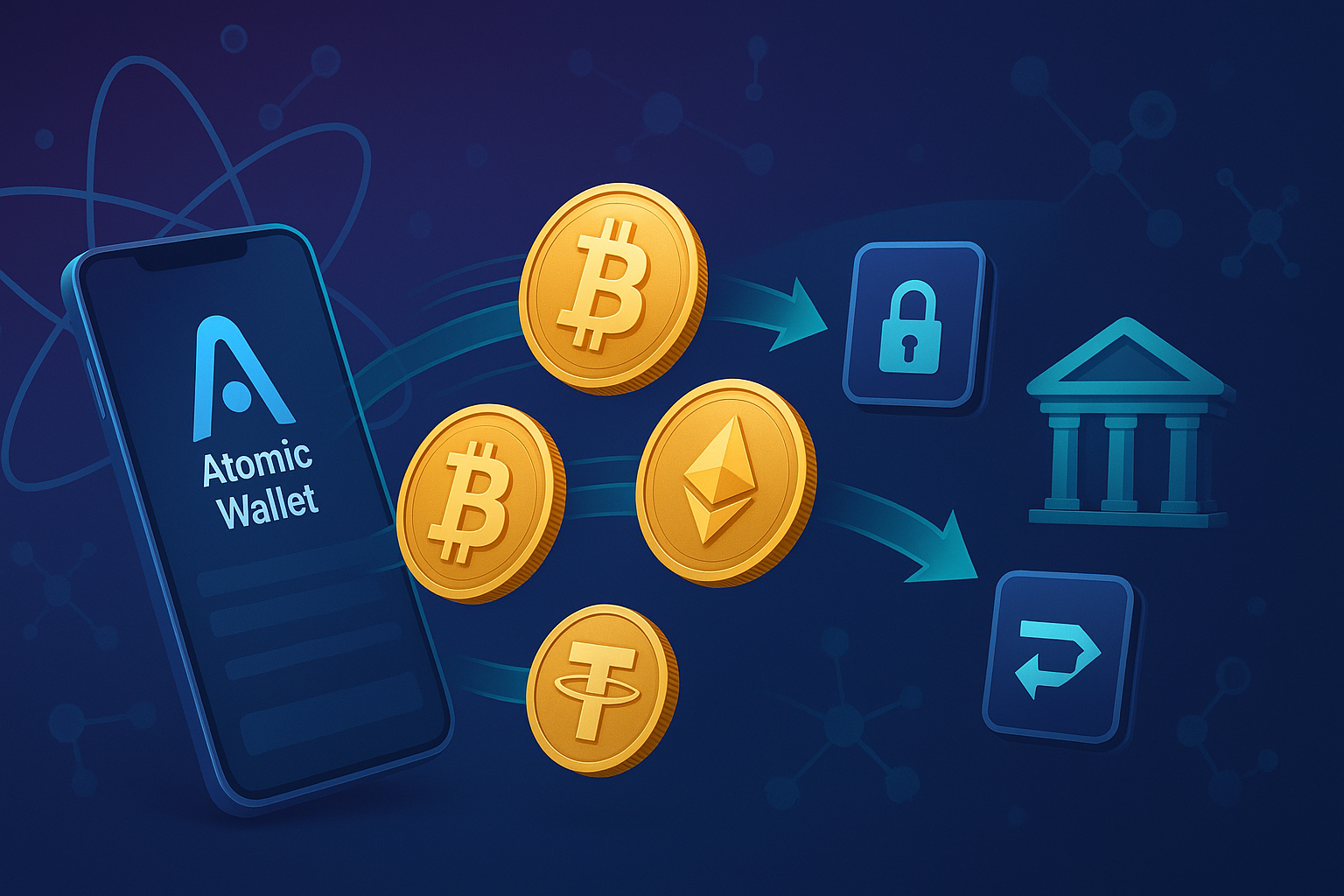
Author: Steaven Hawk, Founder & Editor-in-Chief | Hi Tech Blogging |
Last Updated: April 13, 2026 |
Reading Time: ~12 minutes |
Reviewed against: Atomic Wallet v2.x (Desktop & Mobile)
I’ve personally tested Atomic Wallet withdrawals across Bitcoin, Ethereum, USDT (ERC-20 and TRC-20), and BNB — on both desktop and mobile — to make sure every step in this guide reflects what you’ll actually see in the app. I’ve also covered the most common mistakes that cause people to lose funds permanently, so you can avoid them.
This is the most complete guide to withdrawing from Atomic Wallet available. Let’s get into it.
- What Is Atomic Wallet and How Do Withdrawals Work?
- How to Withdraw from Atomic Wallet to an External Wallet (Step-by-Step)
- How to Withdraw from Atomic Wallet to Your Bank Account
- Atomic Wallet Withdrawal Fees Explained (2026)
- How Long Does an Atomic Wallet Withdrawal Take?
- Which Network Should You Use? (ERC-20 vs TRC-20 vs BEP-20)
- Security Best Practices Before Every Withdrawal
- Troubleshooting: Common Problems & Fixes
- Moving Crypto to Cold Storage After Withdrawal
- Frequently Asked Questions
1. What Is Atomic Wallet and How Do Withdrawals Work?
Atomic Wallet is a non-custodial, decentralized cryptocurrency wallet that supports over 1,000 digital assets across 60+ blockchains. As of 2026, it serves more than 10 million users globally, available on Windows, macOS, Linux, iOS, and Android.
The key distinction that shapes how withdrawals work: Atomic Wallet never holds your funds. When you create a wallet, your 12-word seed phrase is generated and stored only on your device — Atomic’s servers never see it. You are the sole custodian of your crypto.
This has two practical consequences:
| ✅ What Atomic Wallet CAN Do | ❌ What Atomic Wallet CANNOT Do |
|---|---|
| Send crypto to any external wallet address | Convert crypto directly to USD/fiat |
| Swap cryptocurrencies inside the app | Send money directly to your bank account |
| Buy crypto with a debit/credit card | Freeze, reverse, or recover your transactions |
So when you “withdraw” from Atomic Wallet, you are doing one of two things:
- Sending crypto to another wallet (hardware wallet, exchange, another person)
- Sending crypto to an exchange so you can sell it and withdraw the resulting fiat to your bank
Both paths are covered in detail below.
2. How to Withdraw from Atomic Wallet to an External Wallet (Step-by-Step)
This is the core withdrawal process in Atomic Wallet. These steps work identically across desktop and mobile.
Step 1 — Open Atomic Wallet and Go to Your Wallet Tab
Launch the app. On the home screen, tap or click the Wallet tab. You’ll see all your cryptocurrency holdings listed with current balances and USD values.
Step 2 — Select the Cryptocurrency You Want to Withdraw
Find and click on the specific asset you want to send (e.g., Bitcoin, Ethereum, USDT). This opens the asset’s dedicated page showing your balance, price history, and action buttons.
Step 3 — Tap the “Send” Button
Click or tap Send to open the transaction form. This is where you’ll enter all withdrawal details.
Step 4 — Paste the Destination Wallet Address
This is the most critical step. In the Address field, paste the receiving wallet address using your device’s copy-paste function. Never type an address manually — a single wrong character will send your funds to a permanently inaccessible address with zero chance of recovery.
Step 5 — Select the Correct Blockchain Network
If the asset exists on multiple networks, Atomic Wallet will ask you to select one. For example, USDT is available on:
- Ethereum (ERC-20) — widely supported, higher fees
- Tron (TRC-20) — very low fees (~$1 or less), widely supported
- BNB Smart Chain (BEP-20) — low fees, supported by major exchanges
Step 6 — Enter the Amount
Type the amount in either cryptocurrency units or USD equivalent — the app converts between the two in real time. To send your entire balance, use the Max button, which automatically deducts the network fee to ensure the transaction doesn’t fail.
Step 7 — Review the Network Fee
Atomic Wallet charges zero additional fees on standard sends. The only fee you pay is the blockchain network fee paid to miners or validators. This fee is displayed clearly before you confirm. For Bitcoin, Litecoin, Ethereum, and BNB Smart Chain, you can tap Set Fee to manually adjust between slow (cheaper) and fast (more expensive) confirmation speeds.
Step 8 — Enter Your Password and Confirm
Type your Atomic Wallet password to authorize the transaction. Then review the full transaction summary one final time:
- ✅ Destination address (verify first and last 6 characters)
- ✅ Blockchain network selected
- ✅ Amount being sent
- ✅ Network fee shown
Once satisfied, tap Send. The transaction is broadcast to the blockchain immediately. It cannot be canceled after this point.
Step 9 — Track Your Transaction
Go to the History tab and click your transaction to view its transaction hash (TXID). Use a blockchain explorer to monitor confirmation progress:
- Bitcoin: blockchain.com/explorer
- Ethereum: etherscan.io
- BNB Smart Chain: bscscan.com
- Tron: tronscan.org
Expected Confirmation Times by Blockchain
| Blockchain | Confirmations Needed | Typical Time |
|---|---|---|
| Bitcoin (BTC) | 3–6 | 30–60 minutes |
| Ethereum (ETH) | 12–35 | 5–15 minutes |
| BNB Smart Chain | 15 | ~1–2 minutes |
| Tron (TRX / TRC-20) | 20 | ~1 minute |
| Solana (SOL) | 1 | Seconds |
| Litecoin (LTC) | 6 | 15–30 minutes |
3. How to Withdraw from Atomic Wallet to Your Bank Account
Atomic Wallet does not support fiat conversions. To convert your crypto to cash in your bank account, you need to route through a centralized exchange. Here is the complete process.
What You Need Before Starting
- An account on a regulated, US-compatible exchange (Coinbase, Kraken, or Gemini are the most reliable for US users)
- Completed KYC (identity verification) on that exchange
- A linked and verified bank account on the exchange
Step-by-Step: Atomic Wallet → Exchange → Bank
- Log into your exchange and go to the Deposit section. Find the cryptocurrency you want to send from Atomic Wallet.
- Generate a deposit address. Click Receive or Deposit for that asset. Copy the wallet address exactly.
- ⚠️ Memo / Destination Tag: For XRP, XLM, EOS, ATOM, and similar coins, your exchange provides both a wallet address and a memo or destination tag. You must include both when sending. If you forget the memo, your funds may arrive at the exchange but not credit to your account.
- Return to Atomic Wallet and follow the standard send steps from Section 2, using the exchange deposit address as your destination. Make sure the selected network in Atomic Wallet matches what your exchange expects.
- Wait for confirmations. Most exchanges display a pending deposit immediately, and fully credit it once required confirmations are reached.
- Sell your crypto for USD in the exchange’s Trade section using a market order (instant) or limit order (at your target price).
- Withdraw to your bank. Go to the exchange’s Withdraw section, select your linked bank account, enter the amount, and confirm. US ACH transfers typically arrive in 1–5 business days.
Alternative: Bitcoin ATMs
If you want cash immediately without a bank transfer, Bitcoin ATMs let you send crypto from Atomic Wallet and receive cash on the spot. Fees are higher (typically 7–15%) but the process is instant. See our guides on Bitcoin ATMs in Florida and our beginner’s guide to using a Bitcoin ATM.
4. Atomic Wallet Withdrawal Fees Explained (2026)
Sending / Withdrawing to Another Wallet
| Network | Typical Fee (2026) | Notes |
|---|---|---|
| Bitcoin (BTC) | $1 – $20+ | Highly variable; spikes during congestion |
| Ethereum (ETH) | $2 – $30+ | Gas-dependent; use L2s when possible |
| USDT (ERC-20) | $3 – $25 | Requires ETH for gas |
| USDT (TRC-20) | ~$1 or less | Cheapest USDT option |
| BNB Smart Chain | < $0.50 | Consistently very cheap |
| Solana (SOL) | < $0.01 | Extremely cheap |
| Litecoin (LTC) | $0.01 – $0.10 | Low-cost Bitcoin alternative |
Other Fees to Know
- In-app swaps: 0.5% of the swap amount, plus third-party partner fees (Changelly, ShapeShift)
- Credit/debit card purchases: 5% flat fee (minimum $10 per transaction). Your card issuer may add a further 2–5%.
4 Tips to Reduce Your Withdrawal Fees
- Choose the cheapest network. Sending USDT on Tron (TRC-20) instead of Ethereum (ERC-20) can save $10–$25 per transaction. Always verify your destination supports TRC-20 first.
- Consolidate transfers. Network fees are flat regardless of amount. Sending $5,000 in one transaction costs the same as sending $50. Batch small amounts into one larger transfer.
- Time your Ethereum withdrawals. ETH gas prices are typically lowest on weekends between midnight and 8 AM UTC. Check Etherscan’s Gas Tracker before sending.
- Consider Layer 2 networks. Polygon, Arbitrum, and Optimism offer Ethereum-compatible transactions at a fraction of the cost — if your destination supports them.
5. How Long Does an Atomic Wallet Withdrawal Take?
Atomic Wallet broadcasts your transaction immediately after you confirm it. There is no processing delay on Atomic’s end. The wait time is entirely determined by the blockchain:
- Solana, TRON, BNB Smart Chain: Seconds to 2 minutes
- Ethereum: 5–15 minutes under normal conditions
- Bitcoin: 30 minutes to 1 hour (3–6 confirmations)
- Litecoin: 15–30 minutes
If you set the fee too low during a congested period, miners may deprioritize your transaction and it can remain pending for hours or days. See the Troubleshooting section below if this happens.
6. Which Network Should You Use? ERC-20 vs TRC-20 vs BEP-20
For multi-chain tokens like USDT and USDC, choosing the right network is one of the most important decisions you’ll make — and one of the most common sources of irreversible mistakes.
| Network | Standard | Fee Level | Speed | Widely Supported? |
|---|---|---|---|---|
| Ethereum | ERC-20 | High ($3–$25+) | 5–15 min | Yes — universal |
| Tron | TRC-20 | Very Low (<$1) | ~1 min | Yes — most major exchanges |
| BNB Smart Chain | BEP-20 | Low (<$0.50) | ~1–2 min | Most large exchanges |
| Polygon | Polygon | Very Low (<$0.01) | Seconds | Growing support |
7. Security Best Practices Before Every Withdrawal
Crypto transactions are permanent and irreversible. These practices should be habits — not afterthoughts.
✅ Always Do a Test Transaction First
Before sending a large amount to any new address, send a small test amount ($5–$10 equivalent) first. Confirm it arrives correctly at the destination. Only then send the full amount. This costs one extra network fee but eliminates the risk of permanent loss from an address error.
🔐 Protect Your 12-Word Seed Phrase
Your seed phrase is the master key to your entire wallet. Anyone who has it can drain every asset you hold. Protect it like this:
- Store it offline only — no cloud storage, no phone photos, no email
- Keep copies in at least two physically separate locations (home safe, safety deposit box)
- For large holdings, use metal backup plates (fireproof and waterproof)
If you’ve lost access to your device, your seed phrase is the only way to recover your funds. Read our guide on seed phrase and private key recovery to understand your options.
👁️ Verify Addresses After Pasting
Clipboard hijacking malware silently replaces a copied wallet address with the attacker’s address. After pasting, verify the first 6 and last 6 characters match your intended destination. For very large transactions, check every character.
🛡️ Enable All Device Security Layers
- Use a strong, unique password for Atomic Wallet
- Enable device encryption, screen lock, and biometric authentication
- Keep your OS and antivirus software updated
- Never access Atomic Wallet on a public or shared computer
🚨 Common Scams Targeting Atomic Wallet Users
- Fake support scams: Atomic Wallet support will never ask for your seed phrase, password, or private keys. Anyone who does is a scammer.
- “Verification” scams: Legitimate platforms never ask you to send crypto to “verify” your wallet or “unlock” withdrawals.
- Phishing sites: Only download Atomic Wallet from atomicwallet.io. Check the URL carefully before entering credentials.
- Fake social media support: Scammers impersonate Atomic Wallet on Twitter/X, Telegram, and Discord. Never respond to unsolicited DMs claiming to be support.
8. Troubleshooting: Atomic Wallet Withdrawal Problems & Fixes
🔴 Problem: Transaction Is Stuck or Pending for Hours
Cause: The network fee was set too low. Miners process higher-fee transactions first.
Fix:
- Wait it out — during off-peak hours, even low-fee transactions eventually confirm as the mempool clears
- Bitcoin: Use a transaction accelerator service to pay miners to prioritize your transaction
- Ethereum: If supported, use Replace-by-Fee (RBF) to resubmit with a higher gas price
- Prevention: Use the default or “fast” fee setting during high-congestion periods
🔴 Problem: Not Enough Balance to Pay Fees
Cause: You tried to send your entire token balance without holding native network currency for gas. Token transactions on Ethereum and BNB Smart Chain require ETH or BNB for fees — even when you’re not sending that coin.
Fix: Purchase a small amount of the native coin (a few dollars of ETH or BNB is usually sufficient). Use Atomic’s in-app swap to convert a small portion of your holdings if needed.
🔴 Problem: Wrong Network Selected
Cause: You sent USDT on TRC-20 to an address expecting ERC-20, or a similar cross-network error.
Fix: Contact the receiving exchange’s support immediately with your TXID. Some exchanges can manually recover cross-chain deposits for a fee, though this is not guaranteed. Prevention is the only reliable protection.
🔴 Problem: Missing Memo or Destination Tag
Cause: You sent XRP, XLM, EOS, or another memo-required coin to an exchange without the required memo.
Fix: Contact the exchange’s support team immediately with your TXID and account details. Most major exchanges have a manual recovery process, but it can take days to weeks and may incur a fee.
🔴 Problem: Withdrawal Below Minimum Deposit Amount
Cause: Your destination exchange requires a minimum deposit for that asset, and you sent below that amount.
Fix: Check the exchange’s minimum deposit requirements before sending. Send additional funds to meet the minimum, or contact the exchange’s support team.
9. Moving Crypto to Cold Storage After Withdrawal
If you’re withdrawing from Atomic Wallet to increase security rather than to sell, moving to a hardware wallet is the safest long-term option. Hardware wallets store your private keys physically offline, completely isolated from internet-connected devices.
| Hardware Wallet | Best For | Price Range | Guide |
|---|---|---|---|
| Ledger (Nano X, Stax) | All-round security, wide coin support | $79–$279 | Full Review |
| Trezor (Model T, Safe 3) | Open-source security, strong privacy | $69–$219 | Full Review |
| CoolWallet S | Mobile users, Bluetooth convenience | $99 | Full Review |
| SafePal S1 | Budget option, air-gapped signing | $49 | Full Review |
| KeepKey | Large screen, ShapeShift integration | $49–$79 | Full Review |
To transfer from Atomic Wallet to a hardware wallet, simply follow Section 2 above — use your hardware wallet’s receive address as the destination. There is no special process beyond the standard send flow.
If you’re managing NFTs and want to move them to cold storage, our NFT Transfer, Storage & Recovery guide covers the full process.
10. Frequently Asked Questions
How do I withdraw money from Atomic Wallet?
Open the Atomic Wallet app, select the cryptocurrency you want to send, tap the Send button, paste the destination wallet address, verify the network, enter the amount, review the network fee, enter your password, and tap Send. The transaction is broadcast to the blockchain immediately.
Can I withdraw directly from Atomic Wallet to my bank account?
No. Atomic Wallet is a non-custodial wallet with no fiat conversion or direct bank connectivity. To get cash, send your crypto to a centralized exchange such as Kraken, Crypto.com, or Gemini, sell it for USD, and withdraw to your bank via ACH (1–5 business days).
What are the withdrawal fees for Atomic Wallet?
Atomic Wallet charges no withdrawal fee beyond standard blockchain network fees. Bitcoin and Ethereum fees typically range from $1 to $30+ depending on congestion. Tron and BNB Smart Chain cost well under $1. The exact fee is always shown before you confirm any transaction.
How long does a withdrawal from Atomic Wallet take?
Atomic Wallet broadcasts transactions immediately — there is no internal delay. Confirmation time depends entirely on the blockchain: Solana and Tron confirm in seconds, Ethereum in 5–15 minutes, and Bitcoin in 30–60 minutes under normal conditions.
Why is my Atomic Wallet withdrawal stuck?
A stuck withdrawal almost always means the network fee was set too low. Miners prioritize higher-fee transactions first. You can wait for congestion to pass, or use a transaction accelerator for Bitcoin. For future sends, use the default or “fast” fee setting during busy network periods.
Is it safe to withdraw from Atomic Wallet?
Yes, when you follow proper security practices. Atomic Wallet stores private keys locally on your device, encrypted with your password — the company never has access to your funds. The risks are on the user side: verifying addresses correctly, protecting your seed phrase, and avoiding phishing scams are the most important safeguards.
Can I cancel a withdrawal after sending?
No. Once broadcast to the blockchain, a transaction is final and irreversible. There is no cancel function. Always double-check every detail before confirming.
What happens if I send crypto to the wrong address?
In nearly all cases, the funds are permanently lost. The only exceptions are if you sent to an address you personally control, or if a centralized exchange can recover a cross-network deposit (not guaranteed). Always verify addresses before confirming and use test transactions for new destinations.
Do I need to verify my identity to withdraw from Atomic Wallet?
No. Atomic Wallet requires no KYC. However, if you route through a centralized exchange to convert to fiat, that exchange will require identity verification before allowing bank withdrawals.
Why do I need ETH or BNB to send tokens?
Token transfers on Ethereum (ERC-20) or BNB Smart Chain (BEP-20) require the native coin (ETH or BNB) to pay gas fees — even when you’re sending a token, not the coin itself. Always keep a small reserve of ETH and BNB on the relevant chains.
Final Takeaway
Withdrawing from Atomic Wallet is a straightforward process once you understand two things: it’s a non-custodial wallet (you control everything), and transactions are irreversible once sent.
The steps are simple — select your asset, paste the correct address, verify the network, confirm the fee, and authenticate. For converting to cash, add one bridge step through a regulated exchange. For long-term security, move funds to a hardware wallet.
The risks are real but entirely preventable: verify every address, test with a small amount first, keep your seed phrase secure offline, and never share it with anyone. Follow those habits and every withdrawal you make will be safe and successful.
- How to Withdraw from Kraken — Complete 2026 Guide
- How to Withdraw from Crypto.com — Step-by-Step
- How to Withdraw from Gemini — Full Walkthrough
- Lost Your Seed Phrase? Recovery Options Explained
- NFT Transfer, Storage & Recovery — Complete Guide
- Ledger Hardware Wallet — Full Review & Setup Guide
- Trezor Hardware Wallet — Security & Setup Guide
- How to Use a Bitcoin ATM for the First Time

One Comment
Comments are closed.