Cryptocurrency security demands both robust protection and user-friendly design. While many hardware wallets sacrifice usability for security, the KeepKey hardware wallet strikes an ideal balance with its distinctive large display and intuitive interface. As digital assets continue growing in value, protecting your investments becomes increasingly critical.
In this comprehensive guide, you’ll discover everything about the KeepKey crypto wallet ecosystem. From understanding its unique large-screen security features to complete setup instructions and troubleshooting common issues, we cover every aspect. Whether you’re a visual learner seeking clarity or an experienced investor wanting premium features, this guide provides all the information you need.
What is a KeepKey Hardware Wallet?
A KeepKey hardware wallet is a physical cryptocurrency storage device that keeps your private keys completely offline while providing an unusually large display for transaction verification. Acquired by ShapeShift in 2017, the KeepKey crypto wallet has evolved into a comprehensive security solution that prioritizes user experience alongside top-tier protection.
The Premium Design Philosophy
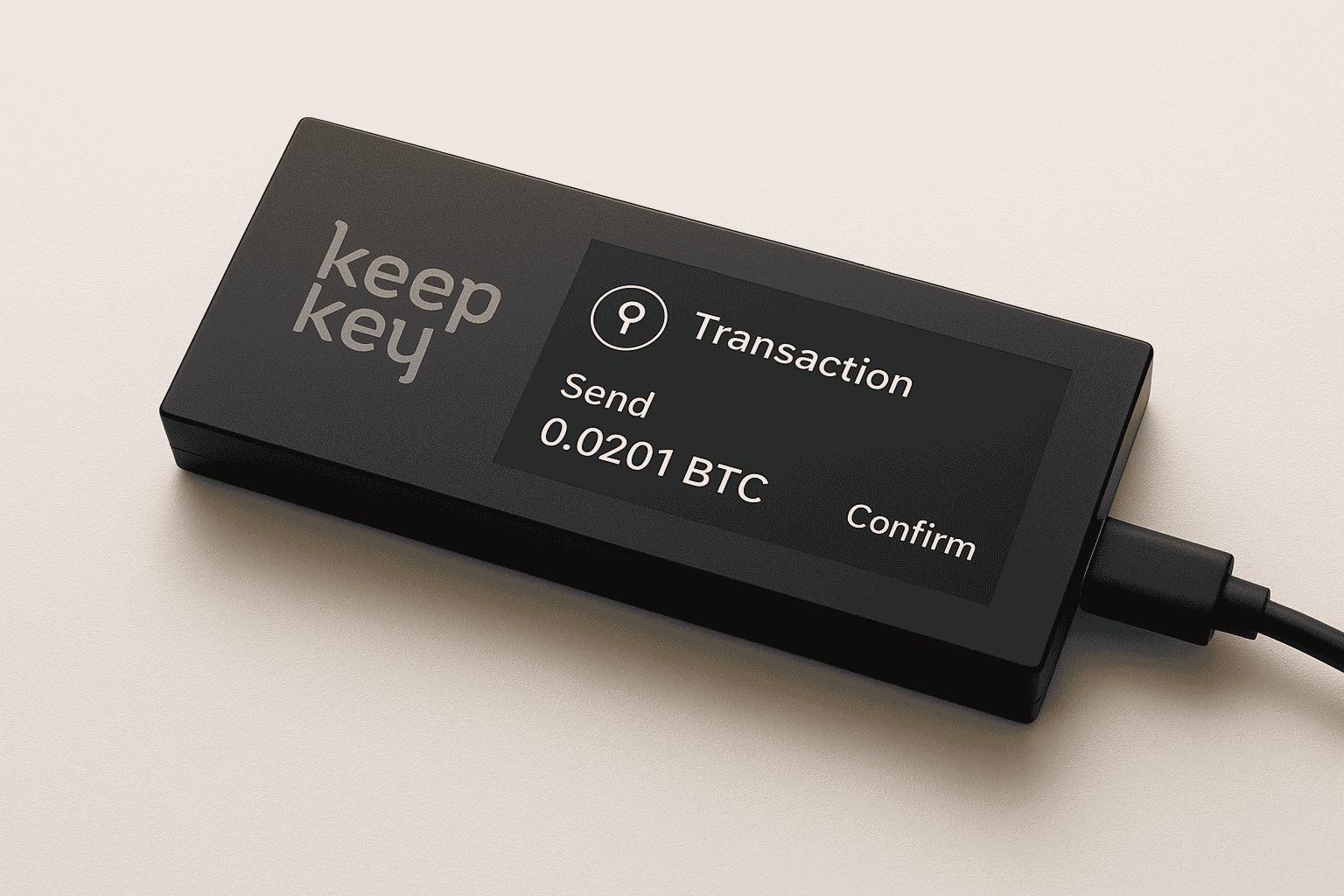
Unlike compact hardware wallets that can be difficult to read, KeepKey features a 3.12-inch OLED display—significantly larger than competitors. Moreover, this generous screen size allows users to clearly verify transaction details, addresses, and recovery phrases without squinting or uncertainty. The aluminum and polycarbonate construction provides both durability and a premium feel.
The KeepKey Cold Wallet Advantage
A KeepKey cold wallet operates entirely offline, connecting to your computer only when actively managing transactions. This cold storage approach eliminates the primary attack vectors that compromise hot wallets:
- Offline Key Storage: Private keys never leave the device
- Large Display Verification: Clearly see every transaction detail
- PIN Protection: Randomized entry prevents keylogger attacks
- Recovery Seed Backup: 12-word phrase enables wallet restoration
- Open-Source Software: Transparent, auditable security code
Furthermore, the KeepKey hardware crypto wallet philosophy centers on making cryptocurrency security accessible through superior visual design and straightforward operation.
KeepKey Hardware Wallet Models
KeepKey maintains a focused product lineup, concentrating on perfecting a single model rather than offering multiple variants. Let’s explore what makes this approach effective.
KeepKey Classic Hardware Wallet
The KeepKey hardware wallet represents the company’s flagship and only model, offering premium features in a distinctive package.
Technical Specifications
Key Features:
- Display: 3.12-inch OLED screen (largest among major hardware wallets)
- Security Chip: ARM Cortex processor with secure architecture
- Supported Coins: 40+ cryptocurrencies including Bitcoin, Ethereum, and ERC-20 tokens
- Connectivity: USB connection (Micro-USB to USB-A)
- Build Quality: Anodized aluminum body with polycarbonate shell
- Open Source: Firmware fully auditable on GitHub
- Recovery Seed: 12-word recovery phrase (BIP39 standard)
- Dimensions: 38mm x 93.5mm x 12.2mm
- Weight: 54 grams
- Price Range: $49 (official pricing)
Best For: Users who value large, clear displays for transaction verification, visual learners, those with vision difficulties, and anyone seeking premium build quality at an accessible price.
Supported Cryptocurrencies
The KeepKey supports essential digital assets:
- Bitcoin (BTC)
- Ethereum (ETH) and all ERC-20 tokens
- Litecoin (LTC)
- Dogecoin (DOGE)
- Bitcoin Cash (BCH)
- Dash (DASH)
- And 40+ additional major cryptocurrencies
Note: While KeepKey supports fewer coins than some competitors, it focuses on major, established cryptocurrencies rather than obscure altcoins.
Unique KeepKey Features
Large OLED Display:
The standout feature remains the expansive 3.12-inch screen. Consequently, users can verify complete Bitcoin addresses, clearly read transaction amounts, and easily review recovery phrases during setup. This reduces errors and increases confidence in every transaction.
Premium Build Quality:
The combination of anodized aluminum and polycarbonate creates a device that feels substantial and professional. Additionally, the build quality surpasses plastic-only competitors, providing better durability and a more premium user experience.
ShapeShift Integration:
Native integration with ShapeShift allows direct cryptocurrency exchanges within the KeepKey interface. Therefore, users can swap between supported coins without transferring funds to external exchanges, maintaining security throughout the process.
Lifetime Warranty:
KeepKey offers a lifetime warranty when purchased from official sources. This demonstrates confidence in build quality and provides long-term peace of mind for users.
Why KeepKey Maintains Single Model Strategy
Focused Development
Rather than spreading resources across multiple models, KeepKey concentrates on perfecting one exceptional product. This approach ensures:
- Consistent user experience across all devices
- Concentrated security auditing and improvements
- Streamlined customer support
- Better firmware optimization
- More frequent feature updates
Price Positioning
At $49, KeepKey competes directly with entry-level models from other manufacturers while offering premium features typically found in more expensive devices. The large display and metal construction normally command higher prices, making KeepKey exceptional value.
How to Buy KeepKey Hardware Wallet
Purchasing your KeepKey wallet safely ensures you receive an authentic device with intact security features. Follow these guidelines carefully.
Step 1: Choose Authorized Purchase Channels
Recommended Sources
Purchase from these trusted channels:
- ShapeShift Official Website: shapeshift.com (primary recommended source)
- KeepKey Official Website: keepkey.com (redirects to ShapeShift)
- Amazon Official Store: KeepKey branded seller on Amazon (verify authenticity)
- Authorized Retailers: Listed on ShapeShift’s website
Sources to Avoid
Never purchase from these risky channels:
- Unauthorized third-party sellers on eBay
- Craigslist or Facebook Marketplace listings
- Used or refurbished devices from unknown sellers
- International sellers without official authorization
- Deals significantly below retail price (likely counterfeit)
Regional Availability:
KeepKey ships worldwide including United States, Canada, Europe, Australia, and many other regions. Specifically, check shipping options during checkout for your location.
Step 2: Verify Package and Device Authenticity
When your KeepKey hardware crypto wallet arrives, perform these critical security checks immediately.
Inspect the Packaging
First, examine the exterior carefully:
- Check for tamper-evident seals
- Verify packaging matches official images on KeepKey website
- Look for any signs of opening or resealing
- Ensure all components are included (device, USB cable, recovery card)
- Confirm holographic security stickers are intact
Device Security Verification
Next, inspect the device itself:
- Device should be completely powered off upon arrival
- No pre-installed recovery phrase (legitimate devices never include seeds)
- Screen protector should be intact
- No visible signs of tampering or modification
- Housing should be sealed without gaps or scratches
Initial Power-On Check
Finally, verify proper initialization:
- Device should display KeepKey logo on first power-on
- Firmware should prompt for initialization
- No pre-configured wallet should exist
- Recovery phrase generation should be your first action
Warning: Counterfeit KeepKey devices may contain malicious firmware designed to steal cryptocurrency. Always verify authenticity before depositing funds.
Step 3: Register Your Device
After confirming authenticity, complete these registration steps:
- Visit ShapeShift’s official website
- Register your product for lifetime warranty coverage
- Subscribe to security updates and firmware notifications
- Join KeepKey community channels for support
- Store purchase receipt for warranty claims
Step 4: Download KeepKey Client Software
The management software for your KeepKey hardware wallet includes:
Desktop Application
- Windows: Download from keepkey.com
- macOS: Available on official website
- Linux: Community-supported clients available
- Chrome Extension: Browser-based management option
ShapeShift Platform
- Integrated wallet management
- Built-in exchange functionality
- Portfolio tracking
- Multi-device support
Security Warning: Never download KeepKey software from third-party websites, as malicious versions could compromise your security.
How to Use KeepKey Hardware Wallet (Complete Steps)
Setting up your KeepKey hardware wallet correctly ensures maximum security for your cryptocurrency holdings. Follow this comprehensive guide step by step.
Initial Setup and Configuration
Step 1: Unbox and Connect Your Device
Begin the setup process carefully:
- Remove your KeepKey hardware wallet from the packaging
- Connect the device to your computer using the provided USB cable
- Ensure USB connection is secure and stable
- Wait for the device to power on and display KeepKey logo
- Large OLED screen will show initialization prompts
Step 2: Install KeepKey Software
Download and install the management interface:
- Navigate to keepkey.com or shapeshift.com on your web browser
- Download appropriate software for your operating system
- Install the application following standard installation procedures
- Launch the software and allow it to detect your device
- Software will check for firmware updates
Step 3: Initialize Your Device
When KeepKey software detects your device, you’ll see setup options:
Option A: Initialize New Device
- Select this option for a brand-new wallet
- Device will generate fresh recovery phrase
- Recommended for first-time setup
- Ensures maximum security
Option B: Recover Existing Wallet
- Select this option if restoring from backup
- Prepare your 12-word recovery phrase beforehand
- Use if migrating from another wallet
- Use if replacing lost/damaged KeepKey device
Generating and Securing Your Recovery Seed
Step 4: Create Your Recovery Phrase
This is the most critical security step in the entire process:
- Device will generate a random 12-word recovery phrase
- Words appear one at a time on the large OLED display
- Write each word on the provided recovery card in exact order
- Never photograph, screenshot, or store digitally
- Double-check spelling of each word carefully
- Take advantage of large display for clear, accurate recording
- Number each word clearly (1-12)
Recovery Phrase Security Guidelines
Follow these essential security practices:
- Use only the included recovery card or metal backup
- Store in fireproof and waterproof containers
- Keep separate from your KeepKey device
- Never share with anyone, including KeepKey support
- Create multiple copies stored in different locations
- Consider bank safe deposit box for one copy
Step 5: Confirm Your Recovery Phrase
Subsequently, verify your backup accuracy:
- Device will prompt you to confirm random words
- Use device buttons to scroll through word list
- Select the correct word for each prompt
- This step ensures you’ve accurately recorded your backup
- Must complete successfully before proceeding
- Large screen makes verification process easier
Step 6: Set Your PIN Code
Create device access protection:
- Choose 1-9 digit PIN code for device security
- Device displays randomized number grid
- Enter PIN using button navigation
- Grid randomization prevents keylogger attacks
- Confirm PIN by entering again
- After multiple incorrect attempts, device adds delay
- Choose memorable but non-obvious combination
Adding Cryptocurrency Accounts
Step 7: Select Cryptocurrencies to Manage
Once your device is initialized, add your preferred coins:
- Open KeepKey software with device connected
- Navigate to “Add Account” or similar section
- Select cryptocurrencies you want to manage
- Device will create accounts for selected coins
- Each cryptocurrency gets unique receive address
- Organize accounts for easy management
Step 8: Understanding Account Structure
KeepKey organizes cryptocurrencies effectively:
- Each coin type has dedicated account
- Multiple accounts possible for same cryptocurrency
- Bitcoin accounts can use different address formats
- Ethereum account manages all ERC-20 tokens
- Clear labeling helps organization
Receiving Cryptocurrency
Step 9: Generate Receive Address
To receive cryptocurrency into your KeepKey wallet:
- Select the appropriate cryptocurrency in software
- Click “Receive” button
- Address appears in software interface
- Critical: Device displays address on screen
- Verify address matches on both displays exactly
- Large screen makes address verification easy
- Confirm address on device using buttons
- Share verified address with sender
Address Verification Best Practices
Always confirm these elements:
- First 6-8 characters match exactly
- Last 6-8 characters match exactly
- Full address comparison recommended for large amounts
- Use QR code display for sender convenience
- Save verified address in trusted contacts
- Never skip device verification step
Sending Cryptocurrency
Step 10: Create and Confirm Transactions
To send cryptocurrency from your KeepKey crypto wallet:
In KeepKey Software:
- Select account containing funds
- Click “Send” button
- Enter recipient’s address carefully
- Specify amount to send precisely
- Set transaction fee (higher fees = faster confirmation)
- Review all details in software
- Click “Confirm” to proceed
On KeepKey Device:
- Transaction details appear on large OLED screen
- Carefully review all information displayed:
- Recipient address (clearly visible on large screen)
- Send amount including decimal places
- Network transaction fee
- Total deduction from account
- Verify recipient address character by character
- Use navigation buttons to scroll through details
- Confirm transaction using device buttons
- Enter PIN if prompted for authorization
- Wait for confirmation message
Transaction Broadcasting:
- Software broadcasts signed transaction to blockchain
- Transaction ID appears for record-keeping
- Monitor confirmation status in software
- Wait for required blockchain confirmations
- Transaction history updates automatically
Transaction Security Tips
Follow these best practices for safe transactions:
- Always verify recipient address on device screen
- Double-check amounts including decimal placement
- Start with small test transactions for new addresses
- Save transaction IDs for record-keeping
- Monitor confirmations before considering complete
- Use address book feature for frequent recipients
- Be extra cautious with large transactions
Advanced Features and Integration
Using ShapeShift Exchange Integration
KeepKey’s native ShapeShift integration provides secure trading:
- Exchange cryptocurrencies without leaving wallet
- No account creation required for basic swaps
- Private keys remain on device during exchanges
- Competitive exchange rates
- Direct coin-to-coin trading
Managing ERC-20 Tokens
For Ethereum-based tokens:
- All ERC-20 tokens use same Ethereum address
- Enable specific tokens in wallet settings
- Tokens appear under Ethereum account
- Send and receive like standard cryptocurrencies
- Custom token support available
Firmware Updates
Keep your device secure with regular updates:
- Software notifies when updates available
- Download through official channels only
- Device guides through update process
- Never interrupt firmware update
- Backup remains valid after updates
KeepKey Hardware Wallet Problems and Solutions
Even reliable devices like KeepKey can encounter issues. Here are common problems and their solutions.
Problem 1: Device Not Connecting to Computer
Symptoms: Computer doesn’t recognize KeepKey when connected
Basic Troubleshooting Steps
Try these solutions first:
- Try Different USB Cable: Use original KeepKey cable or high-quality alternative
- Change USB Port: Use different port, preferably USB 2.0 or USB 3.0
- Restart Computer: Simple restart often resolves connection issues
- Update KeepKey Software: Download latest version from official website
- Check Device Power: Ensure device screen lights up when connected
- Update USB Drivers: Install or update drivers for your operating system
- Try Different Computer: Isolate whether issue is device or computer-related
- Disable Antivirus Temporarily: Some security software blocks hardware wallets
Windows-Specific Solutions
For Windows users experiencing connection issues:
- Install KeepKey Bridge from official website
- Check Device Manager for unrecognized devices
- Update USB controller drivers
- Run software as administrator
- Disable Windows Defender temporarily to test
Mac-Specific Solutions
For macOS users having difficulties:
- Grant necessary USB permissions in System Preferences
- Check Security & Privacy settings
- Update macOS to latest version
- Reset SMC (System Management Controller)
- Try different USB-C adapter if using newer Mac
Linux-Specific Solutions
For Linux users:
- Configure udev rules for KeepKey
- Add user to appropriate groups
- Check USB permissions
- Install required dependencies
- Consult KeepKey GitHub for Linux instructions
Problem 2: Forgotten PIN Code
Symptoms: Cannot access device after incorrect PIN attempts
Understanding PIN Security
Know how the protection system works:
- Incorrect PIN attempts add increasing delays
- After many attempts, device may wipe
- This protects against brute-force attacks
- Recovery phrase required after wipe
Recovery Process
Follow these steps to restore access:
- If Device Hasn’t Wiped Yet: Try to remember correct PIN
- After Device Wipe: Restore using your recovery phrase
- Complete Recovery Process:
- Connect wiped device to software
- Select “Recover Wallet” option
- Enter 12-word recovery phrase in correct order
- Set new PIN code
- Access restored wallet with all funds intact
Important: Your recovery phrase IS your wallet. The KeepKey device is just a secure interface to access it.
Prevention Strategies
Avoid future lockouts with these tips:
- Store PIN hint in secure location (not with device)
- Use memorable but non-obvious combination
- Practice entering PIN regularly
- Keep recovery phrase extremely secure
- Don’t write PIN on device or packaging
Problem 3: Lost or Stolen Device
Symptoms: Physical KeepKey hardware wallet is missing
Immediate Response Actions
Take these steps promptly:
- Don’t Panic: Funds are safe if you have recovery phrase
- Secure Recovery Phrase: Verify backup is safe and accessible
- Purchase Replacement: Order new KeepKey immediately
- Monitor Accounts: Check blockchain explorers for unauthorized activity
- Prepare Transfer: Consider moving funds once new device arrives
Complete Recovery Process
Restore your wallet completely:
- Receive new KeepKey device
- Verify device authenticity thoroughly
- Connect to computer and launch software
- Select “Recover Wallet” during initialization
- Enter recovery phrase in correct order (large screen helps)
- Set new PIN code
- All cryptocurrency automatically restored
- Verify balances match expectations
If Recovery Phrase is Also Lost
Unfortunately, in this scenario:
- Funds cannot be recovered
- No backdoor or recovery service exists
- KeepKey support cannot help without recovery phrase
- This emphasizes critical importance of secure backup storage
- Consider this permanent loss
Enhanced Security After Loss
Improve your practices going forward:
- Create multiple recovery phrase copies
- Store backups in geographically separate locations
- Consider metal backup plates
- Use bank safe deposit box
- Inform trusted family member of backup location (not phrase itself)
Problem 4: Display Issues or Screen Not Working
Symptoms: Device screen is blank, dim, or unreadable
Display Troubleshooting
Try these solutions:
- Check Power Supply: Ensure USB port provides adequate power
- Try Different USB Port: Use direct computer port, not hub
- Check USB Cable: Ensure cable is functioning properly
- Restart Device: Disconnect and reconnect
- Update Firmware: Latest firmware may fix display bugs
- Physical Inspection: Check for visible damage or cracks
- Contact Support: Screen hardware issues may require replacement
Screen Brightness
If screen is dim but functional:
- Check for brightness settings in software
- Ensure device isn’t in power-saving mode
- Clean screen gently with microfiber cloth
- Avoid direct sunlight causing glare
Problem 5: Transaction Stuck as Pending
Symptoms: Sent transaction doesn’t confirm on blockchain
Understanding Transaction Delays
Common causes of pending transactions:
- Blockchain network congestion
- Insufficient transaction fees
- Network conditions vary by cryptocurrency
- Exchange or recipient issues
Solutions for Bitcoin Transactions
For Bitcoin-related delays:
- Check Fee Rate: Use blockchain explorer to verify fee adequacy
- Wait Patiently: Low-priority transactions may take hours or days
- Monitor Mempool: Check mempool.space for current network status
- Future Prevention: Use higher fee settings during busy periods
Solutions for Ethereum Transactions
For Ethereum and ERC-20 tokens:
- Check Gas Price: Verify you used sufficient gas
- Monitor Network: Use Etherscan for transaction status
- Wait for Clearance: High network usage causes delays
- Future Prevention: Check gas prices before sending
Prevention Strategies
Avoid future stuck transactions:
- Always use recommended fee rates
- Monitor network conditions before sending
- Allow higher fees for urgent transactions
- Check recent average fees on blockchain explorers
- Consider time of day (weekends often cheaper)
Problem 6: Firmware Update Failed
Symptoms: Firmware update process interrupted or incomplete
Recovery Steps
Resolve update issues safely:
- Don’t Panic: Device has recovery mechanisms
- Don’t Disconnect: Keep device connected to power
- Restart Software: Close and reopen KeepKey application
- Retry Update: Follow update process carefully again
- Check Internet: Ensure stable internet connection
- Download Manually: Get firmware from official GitHub if needed
- Contact Support: If update repeatedly fails
- Recovery Mode: Device can enter bootloader mode
Prevention Best Practices
Ensure successful updates:
- Use stable USB connection during updates
- Don’t interrupt update process
- Close unnecessary programs before updating
- Update in calm, uninterrupted environment
- Follow all on-screen instructions carefully
- Keep computer plugged into power
Problem 7: Incorrect Balance Displayed
Symptoms: KeepKey software shows wrong cryptocurrency balance
Synchronization Solutions
Resolve balance display issues:
- Synchronization Issue: Most common cause
- Refresh Connection: Disconnect and reconnect device
- Restart Software: Close and reopen application
- Clear Cache: Clear application cache in settings
- Check Blockchain Explorer: Verify actual balance independently
- Update Software: Latest version improves synchronization
- Check Network: Blockchain network issues affect display
If Balance is Genuinely Missing
Further investigation steps:
- Verify you’re using correct recovery phrase
- Check if using passphrase feature
- Ensure correct cryptocurrency network selected
- Review transaction history for unauthorized sends
- Check all accounts (Bitcoin legacy vs SegWit)
- Verify addresses match expected accounts
How to Contact KeepKey Customer Service
When you need assistance beyond self-troubleshooting, KeepKey and ShapeShift offer multiple support channels.
Official Support Channels
1. ShapeShift Help Center
Access comprehensive resources:
- Website: shapeshift.zendesk.com
- Features: Knowledge base with guides and FAQs
- Search Function: Find solutions by keyword or topic
- Availability: 24/7 self-service support
- Device Guides: Specific KeepKey documentation
2. Submit Support Ticket
Get personalized assistance:
- Access: Through ShapeShift help center
- Process:
- Click “Submit a Request”
- Select “KeepKey” category
- Provide detailed problem description
- Include device firmware version
- Attach relevant screenshots
- Provide transaction IDs if applicable
- Submit ticket for review
- Response Time: Usually 24-48 hours
- Follow-up: Receive email updates on ticket status
3. Community Support
Connect with other users:
- Reddit: r/KeepKey (active community)
- Telegram: Official ShapeShift/KeepKey groups
- Discord: ShapeShift community server
- Note: Beware of scammers impersonating support
4. Social Media Support
Follow for updates and assistance:
- Twitter: @ShapeShift_io (company updates)
- Facebook: ShapeShift official page
- Important: Official staff will never initiate DMs
Critical Security Guidelines When Seeking Support
Never Share These Details
Protect your security by never revealing:
- Your 12-word recovery phrase
- Your device PIN code
- Private keys from any wallet
- Recovery phrase photographs
- Seed phrase in any form
What KeepKey Support Will Never Do
Legitimate support never:
- Asks for your recovery phrase
- Requests remote access to your computer
- Asks you to send cryptocurrency
- Sends unsolicited direct messages
- Requests you download from non-official sources
Recognizing Scam Attempts
Common Scam Tactics
Watch out for these red flags:
- Fake support accounts messaging first
- Phishing websites mimicking keepkey.com or shapeshift.com
- Email scams claiming security breaches
- Fake firmware updates from unofficial sources
- “Customer support” phone calls
- Urgent requests to “verify” your wallet
Protection Strategies
Stay safe with these practices:
- Verify you’re on official domains (check URL carefully)
- Bookmark official KeepKey/ShapeShift websites
- Never click links in unsolicited emails
- Always download software from official sources
- Official support never messages first
- Be suspicious of urgent or threatening messages
- Double-check usernames and verification badges
Before Contacting Support
Information to Prepare
Gather these details beforehand:
- Device Model: KeepKey (specify firmware version)
- Software Version: KeepKey Client or ShapeShift app version
- Operating System: Windows, macOS, Linux (include version)
- Purchase Date and Source: When and where purchased
- Problem Description: Clear, detailed explanation
- Steps Taken: Troubleshooting already attempted
- Error Messages: Exact wording or screenshots
- Transaction IDs: If issue relates to transactions
Effective Communication Tips
Maximize response quality:
- Be specific with step-by-step descriptions
- Include exact error messages
- Mention when problem first started
- Note any recent changes (updates, etc.)
- Describe expected vs actual behavior
- Attach clear screenshots (redact sensitive info)
- Be patient and polite with support staff
- Follow up if no response within timeframe
Best Practices for KeepKey Wallet Security
Maximize your KeepKey hardware crypto wallet security with these expert recommendations.
Recovery Phrase Protection
Physical Storage Best Practices
Secure your backup properly:
- Physical Medium Only: Write on provided card or metal backup
- Multiple Copies: Create 2-3 copies in different locations
- Fireproof Safe: Store in fireproof, waterproof container
- Bank Safe Deposit Box: Consider for one backup copy
- Never Digital: Never photograph, screenshot, or store electronically
- Cloud Storage Forbidden: Never upload to any cloud service
- Printer Risks: Never print (printers cache documents)
Advanced Protection Methods
For enhanced security:
- Metal Backup Plates: Engrave on stainless steel or titanium
- Cryptosteel: Purpose-built metal backup solution
- Geographic Distribution: Store copies in different cities
- Sealed Envelopes: Use tamper-evident envelopes
- Split Storage: Keep words 1-6 separate from 7-12
Operational Security
Transaction Verification
Protect every transaction:
- Always verify addresses on large device screen
- Take advantage of clear OLED display
- Double-check recipient addresses character by character
- Review transaction amounts carefully (decimal places)
- Verify network fees are reasonable
- Save transaction IDs for records
- Start with test transactions for new addresses
Device Usage Guidelines
Maintain proper device hygiene:
- Keep firmware updated to latest version
- Use only official KeepKey/ShapeShift software
- Never use device on compromised or public computers
- Disconnect device when not actively using
- Store device in secure location when not in use
- Clean large screen regularly with microfiber cloth
- Protect from extreme temperatures and moisture
Computer Security
Secure your computing environment:
- Use antivirus and anti-malware software
- Keep operating system updated
- Avoid suspicious websites and downloads
- Consider dedicated computer for large transactions
- Use Linux for enhanced security (if comfortable)
- Verify software signatures before installing
- Regular malware scans recommended
Purchase and Setup Security
Buying Guidelines
Ensure authentic purchases:
- Purchase only from official sources
- Verify seller authorization
- Check package for tampering upon arrival
- Perform thorough authenticity checks
- Never buy used or refurbished devices
- Be suspicious of below-retail prices
- Register for lifetime warranty immediately
Initial Setup
Start with proper configuration:
- Complete setup in private, secure location
- Generate new recovery phrase (never reuse)
- Verify recovery phrase using large display
- Create strong, unique PIN code
- Test recovery process with small amount first
- Understand all features before depositing large amounts
- Keep initial test transactions small
Account Management
Organization Strategies
Structure your holdings effectively:
- Use clear labeling for accounts
- Separate long-term holdings from trading funds
- Create different accounts for different purposes
- Maintain detailed records separately
- Regular portfolio reviews and rebalancing
- Keep transaction records for taxes
- Consider multiple devices for large portfolios
Privacy Considerations
Enhance your anonymity:
- Use new receive addresses for each transaction
- Avoid address reuse for enhanced privacy
- Understand blockchain transparency
- Consider privacy-focused coins when needed
- Be aware of on-chain analysis risks
- Use coin mixing services carefully (research legal implications)
- VPN usage for additional privacy layer
Advantages of Using a KeepKey Hardware Wallet
Understanding the benefits helps you appreciate why users choose KeepKey for cryptocurrency security.
Security Benefits
Offline Key Storage
Cold storage protection:
- Private keys never leave the device
- Immune to remote hacking and malware
- Protection against keyloggers
- Transaction signing happens inside secure environment
- Cold storage security with manageable convenience
Large Display Security
Visual verification advantages:
- 3.12-inch OLED screen largest in category
- Clearly verify complete addresses
- Easily read transaction amounts
- Reduced errors from misreading
- Better for users with vision difficulties
- Confidence in every transaction
PIN Protection
Access security features:
- Randomized number grid prevents keyloggers
- Increasing delays after incorrect attempts
- Eventually wipes device after many failures
- Protects against physical theft
- Simple yet effective security layer
Open-Source Firmware
Transparency benefits:
- Publicly auditable code on GitHub
- Community-verified security
- Faster vulnerability identification
- No hidden backdoors
- Trust through verification
User Experience Benefits
Superior Display
The standout advantage:
- Largest screen among major hardware wallets
- High-contrast OLED technology
- Clearly visible in various lighting
- Reduces transaction errors
- More accessible for all users
- Professional appearance
Premium Build Quality
Construction advantages:
- Anodized aluminum body
- Durable polycarbonate shell
- Substantial 54-gram weight
- Professional aesthetic
- Better durability than plastic alternatives
- Impressive desk presence
Lifetime Warranty
Long-term protection:
- Lifetime warranty from official purchases
- Demonstrates build quality confidence
- Long-term investment protection
- Better value over time
- Reduced worry about device failure
Integration Benefits
ShapeShift Native Integration
Built-in exchange features:
- Swap cryptocurrencies without leaving wallet
- No need for external exchanges
- Maintains security during swaps
- Competitive rates
- Convenient portfolio management
Multi-Platform Support
Broad compatibility:
- Windows desktop support
- macOS compatibility
- Linux community support
- Chrome browser extension
- Mobile management through ShapeShift
KeepKey vs. Other Hardware Wallets
How does KeepKey compare to major competitors? Let’s examine the differences in detail.
KeepKey vs. Ledger
KeepKey Advantages
Where KeepKey excels:
- Significantly larger display (3.12″ vs 1.28″)
- Lower price point ($49 vs $79-149)
- Premium aluminum/polycarbonate build
- Lifetime warranty included
- Clear address verification
- Better for visual learners
Ledger Advantages
Where Ledger excels:
- More cryptocurrency support (5,500+ vs 40+)
- Bluetooth connectivity (Nano X)
- More compact and portable
- Longer track record (since 2014)
- Larger company resources
- More third-party integrations
Final Verdict
Choose based on priorities. KeepKey offers superior display and build quality at lower price. Conversely, Ledger provides more coins and mature ecosystem. Select KeepKey for usability and clarity; choose Ledger for maximum coin support.
KeepKey vs. Trezor
KeepKey Advantages
Where KeepKey leads:
- Much larger display (3.12″ vs 2.42″ or smaller)
- Lower price ($49 vs $69-169)
- Premium metal construction
- Lifetime warranty
- ShapeShift integration
- Better visual transaction verification
Trezor Advantages
Trezor’s strengths:
- Fully open-source hardware design
- More cryptocurrency support (1,000+)
- Touchscreen on premium models
- Longer history (first hardware wallet)
- Shamir Backup on Safe models
- More third-party wallet support
Final Verdict
Both are excellent choices. KeepKey prioritizes display size and affordability; Trezor emphasizes open-source transparency and features. Choose KeepKey for visual clarity and premium build; choose Trezor for open-source philosophy and maximum compatibility.
KeepKey vs. Software Wallets
KeepKey Hardware Wallet Advantages
Cold storage benefits:
- Offline private key storage
- Immune to computer/phone malware
- Physical transaction verification
- Suitable for significant holdings
- Long-term security solution
- Protection against remote attacks
- Large display reduces errors
Software Wallet Advantages
Hot wallet conveniences:
- Free (no hardware purchase)
- More convenient for frequent transactions
- Faster access to funds
- No physical device required
- Simpler for complete beginners initially
- No USB cable needed
- Instant access from any device
Final Verdict
Use cases differ significantly. Use KeepKey hardware wallet for serious investments and long-term holdings. In contrast, use software wallets for small amounts and daily transactions. The large KeepKey display makes it especially suitable for those new to hardware wallets.
KeepKey vs. Exchange Storage
KeepKey Advantages
Self-custody benefits:
- Complete custody and control of assets
- No dependence on exchange solvency
- Protection from exchange hacks
- True ownership of private keys
- No counterparty risk
- Access to decentralized finance
- Privacy from exchange surveillance
Exchange Advantages
Convenience factors:
- Very convenient for active trading
- No setup required
- Often includes insurance (limited)
- Integrated trading features
- Customer support for issues
- Fiat on/off ramps available
- Instant liquidity for trading
Final Verdict
Different tools for different purposes. Use exchanges only for active trading. However, store all long-term holdings in KeepKey hardware crypto wallet. Remember: “Not your keys, not your crypto” – this fundamental principle protects your investment.
Understanding KeepKey’s ShapeShift Integration
KeepKey’s native integration with ShapeShift provides unique advantages that benefit users significantly.
The ShapeShift Acquisition
What It Means
Understanding the relationship:
- ShapeShift acquired KeepKey in 2017
- KeepKey became official ShapeShift hardware wallet
- Integration provides seamless exchange functionality
- Shared security philosophy and development
- Benefits from ShapeShift’s exchange expertise
User Benefits
Advantages for customers:
- Built-in cryptocurrency exchange
- No account creation for basic swaps
- Maintain custody during exchanges
- Competitive exchange rates
- Unified platform for storage and trading
- Enhanced portfolio management
Native Exchange Features
How It Works
The integrated exchange process:
- Select cryptocurrencies to swap
- Review exchange rate and fees
- Confirm transaction on large display
- Private keys remain on device
- ShapeShift processes exchange
- Receive coins directly to KeepKey
Supported Trading Pairs
Available exchanges include:
- Bitcoin to Ethereum
- Ethereum to Litecoin
- Any supported coin to another
- ERC-20 token swaps
- Multiple routing options for best rates
Security During Exchanges
Maintained Protection
Security advantages of native integration:
- Keys never leave hardware device
- No transfer to exchange custody
- Transaction signing on device
- Visual confirmation on large screen
- Reduced exposure to risks
- Simplified secure trading
Frequently Asked Questions About KeepKey Hardware Wallet
Is KeepKey hardware wallet safe?
Yes, KeepKey hardware wallets are highly secure. The device uses offline key storage, PIN protection, and open-source firmware that’s publicly auditable. Furthermore, the large 3.12-inch display allows clear verification of all transaction details, reducing errors and increasing security confidence. KeepKey has maintained a strong security record since its launch.
How much does KeepKey cost?
The KeepKey hardware wallet costs $49 from official sources, making it one of the most affordable premium hardware wallets available. Despite the low price, it features the largest display in its category and premium aluminum construction. Additionally, purchases from official sources include a lifetime warranty, providing exceptional value.
Can KeepKey be hacked?
While no system is 100% unhackable, KeepKey’s offline storage makes remote hacking virtually impossible. Private keys never leave the device. Physical attacks would require sophisticated techniques and direct access. Following proper security practices (strong PIN, secure recovery phrase storage) makes hacking practically impossible for average users.
What cryptocurrencies does KeepKey support?
KeepKey supports 40+ major cryptocurrencies including Bitcoin, Ethereum (and all ERC-20 tokens), Litecoin, Bitcoin Cash, Dogecoin, and Dash. While KeepKey supports fewer coins than some competitors, it focuses on established, widely-used cryptocurrencies rather than obscure altcoins. Regular updates may add additional coin support.
What happens if I lose my KeepKey device?
Your cryptocurrency is not lost if you lose your device. Simply purchase a new KeepKey, select “Recover Wallet” during setup, and enter your 12-word recovery phrase. Consequently, all funds will be restored immediately. The large display makes entering your recovery phrase easier and more accurate. This is why securely storing your recovery phrase separately from your device is absolutely critical.
How does KeepKey’s large screen help?
The 3.12-inch OLED display provides significant advantages over smaller screens. You can clearly read complete Bitcoin addresses, easily verify transaction amounts, and accurately record recovery phrases during setup. Moreover, the large screen reduces errors, increases confidence, and makes KeepKey particularly suitable for users with vision difficulties or those new to hardware wallets.
Does KeepKey work with ShapeShift?
Yes, KeepKey has native integration with ShapeShift since ShapeShift acquired KeepKey in 2017. This integration allows you to exchange cryptocurrencies directly within the KeepKey interface while maintaining full custody of your private keys. Therefore, you can trade without transferring funds to external exchanges, maintaining security throughout the process.
Is KeepKey better than Ledger or Trezor?
KeepKey offers unique advantages: significantly larger display (3.12″ vs 1-2″), lower price ($49), premium metal construction, and lifetime warranty. Meanwhile, Ledger and Trezor support more cryptocurrencies and have longer track records. KeepKey is better for users prioritizing visual clarity and build quality. Conversely, Ledger/Trezor are better for users needing maximum coin support. All three provide excellent security.
Can I use KeepKey without ShapeShift?
Yes, you can use KeepKey independently with the standalone KeepKey Client software. However, ShapeShift integration provides additional features like native exchange functionality and enhanced portfolio management. Furthermore, you can also use KeepKey with some third-party wallet software that supports hardware wallet integration.
What is KeepKey’s lifetime warranty?
KeepKey offers a lifetime warranty when purchased from official sources (ShapeShift.com or authorized retailers). This warranty covers manufacturing defects and hardware failures under normal use. It demonstrates KeepKey’s confidence in build quality and provides long-term protection for your investment. Keep your purchase receipt for warranty claims.
Conclusion
The KeepKey hardware wallet represents a unique approach to cryptocurrency security, prioritizing visual clarity and user experience alongside robust protection. With its distinctive 3.12-inch OLED display—the largest among major hardware wallets—KeepKey eliminates the uncertainty and errors that can occur with smaller screens. Whether you’re verifying addresses, reviewing transaction details, or recording your recovery phrase, the superior display provides confidence in every interaction.
At just $49 with a lifetime warranty and premium aluminum construction, KeepKey delivers exceptional value. The device proves that professional-grade security doesn’t require compromising on usability or paying premium prices. Furthermore, native ShapeShift integration provides convenient cryptocurrency exchange functionality while maintaining full custody of your private keys throughout the process.
Remember that a KeepKey cold wallet is only as secure as your practices. Always purchase from official sources, store your recovery phrase securely in multiple physical locations, verify all transactions on the large device screen, and never share your security credentials with anyone. These simple precautions, combined with KeepKey’s robust security architecture and superior display, provide uncompromising protection for your cryptocurrency investments.
The open-source firmware ensures transparency and community verification of security claims. While KeepKey supports fewer cryptocurrencies than some competitors, its focus on major, established coins ensures reliability and reduces complexity. For users holding Bitcoin, Ethereum, and other leading cryptocurrencies, KeepKey provides everything needed without unnecessary complications.
As cryptocurrency adoption accelerates and digital assets become increasingly valuable, securing them properly transitions from optional to essential. For anyone holding more than a few hundred dollars in cryptocurrency, a hardware wallet isn’t just recommended—it’s necessary. KeepKey makes this protection accessible and user-friendly, proving that superior visual design enhances rather than compromises security.
Ready to secure your cryptocurrency with the clearest display in the industry? Visit shapeshift.com or keepkey.com to purchase your KeepKey hardware wallet and take control of your financial future today. Your crypto deserves the protection and clarity only KeepKey can provide.
Disclaimer: Cryptocurrency investments carry inherent risks. This article provides information about security hardware but does not constitute financial advice. Always conduct thorough research and invest responsibly. HiTechBlogging is not affiliated with KeepKey or ShapeShift.