Author: Steaven Hawk, Founder & Editor-in-Chief | Hi Tech Blogging |
Last Updated: April 14, 2026 |
Reading Time: ~14 minutes |
Tested on: Nano S Plus, Nano X, Nano Gen5, Flex, Stax (Ledger Wallet v5.x)
- Best for beginners / budget: Nano S Plus ($79) — maximum security, zero frills
- Best for mobile users: Nano X ($149) — Bluetooth + built-in battery
- Best value overall ★: Nano Gen5 ($179) — touchscreen, Clear Signing, NFC & Bluetooth
- Best for DeFi traders: Ledger Flex ($249) — metal build, largest E-Ink screen
- Best premium pick: Ledger Stax ($399) — curved screen, Qi charging, NFT display
I’ve personally tested all five current Ledger models — the Nano S Plus, Nano X, Nano Gen5, Flex, and Stax — across desktop and mobile, covering everything from initial setup to DeFi transactions. I’ll tell you exactly what each device feels like to use, where each one falls short, and which one is the right fit for your situation.
More than $3.4 billion in cryptocurrency was stolen in 2025 alone — through exchange hacks, phishing attacks, and smart contract exploits. The single most effective defense against all of these threats is a hardware wallet: a physical device that keeps your private keys completely offline, where no remote attacker can reach them.
Ledger is the global market leader, holding the largest share of any hardware wallet brand and securing an estimated 20% of all cryptocurrency assets worldwide. This guide covers every current model with honest pros and cons, accurate 2026 pricing, a step-by-step setup guide, and the security practices that actually matter.
- What Is a Ledger Hardware Wallet and How Does It Work?
- All 5 Ledger Models Compared (2026)
- Ledger Pros and Cons: Honest Assessment
- How to Buy a Ledger Hardware Wallet Safely
- How to Set Up Your Ledger: Step-by-Step Guide
- Clear Signing and Transaction Check Explained
- Security Best Practices for Ledger Users
- Common Ledger Problems and How to Fix Them
- Ledger vs. Trezor: Which Is Better in 2026?
- Which Ledger Model Should You Buy?
- Frequently Asked Questions
1. What Is a Ledger Hardware Wallet and How Does It Work?
A Ledger hardware wallet — now officially called a “Ledger signer” — is a physical device that stores your cryptocurrency private keys inside a tamper-resistant chip, completely isolated from the internet. Unlike exchange accounts or software wallets (MetaMask, Trust Wallet, Phantom), your private keys are never exposed to your computer, your browser, or any online network.
Here is exactly how it works:
- Your private keys are generated and stored inside the Secure Element chip on the device. They never leave it — not during setup, not during transactions, not ever.
- When you send a transaction, it is sent to the device, signed internally by the chip, and returned as a completed signed transaction. Your keys never touch your computer.
- Every transaction requires physical approval — a button press or screen tap on the device itself. Remote attackers cannot authorize anything without you physically confirming it on the hardware.
The Secure Element chip is the same CC EAL5+ or CC EAL6+ certified technology used in credit cards, passports, and SIM cards. Independent security labs have tested it against physical tampering, side-channel attacks, and fault injection — the most sophisticated physical attacks available. No Ledger hardware device has ever been remotely compromised in over a decade of operation.
Hardware Wallet vs. Software Wallet vs. Exchange: The Real Security Difference
| Storage Type | Where Keys Live | Hack Risk | You Own Your Keys? |
|---|---|---|---|
| Ledger Hardware Wallet | Offline Secure Element chip | ❌ No remote access possible | ✅ Yes — full self-custody |
| Software Wallet (MetaMask etc.) | Internet-connected device | ⚠️ Exposed to malware & phishing | ✅ Yes — but vulnerable |
| Exchange Account | Exchange’s servers | 🔴 Exchange hacks, insolvency (FTX, Celsius) | ❌ No — custodial |
2. All 5 Ledger Hardware Wallet Models Compared (2026)
Ledger currently offers five hardware wallet models ranging from $79 to $399. Here is the full 2026 lineup at a glance:
| Model | Price | Screen | Connectivity | Clear Signing | Best For |
|---|---|---|---|---|---|
| Nano S Plus | $79 | OLED 128×64 | USB-C only | ❌ No | Beginners, long-term holders |
| Nano X | $149 | OLED | USB-C + Bluetooth | ❌ No | Mobile portfolio managers |
| Nano Gen5 ⭐ NEW | $179 | 2.8″ E-Ink touch | USB-C + BT + NFC | ✅ Yes | Best value 2026 |
| Flex | $249 | 2.84″ E-Ink touch | USB-C + BT + NFC | ✅ Yes | Active DeFi & daily traders |
| Stax | $399 | 3.7″ curved E-Ink | USB-C + BT + NFC + Qi | ✅ Yes | Premium buyers, NFT collectors |
Ledger Nano S Plus — Best Budget Hardware Wallet ($79)
The Nano S Plus is Ledger’s entry-level device and the right choice for anyone buying their first hardware wallet on a budget, or who primarily holds crypto long-term and transacts infrequently. It uses the exact same certified Secure Element chip as the flagship models — security is never compromised at this price point. The tradeoff is simplicity: no Bluetooth, no touchscreen, no battery.
- Screen: OLED, 128×64 pixels — classic two-button navigation
- Connectivity: USB-C only
- App storage: Up to 100 apps simultaneously
- Supported assets: 5,500+ cryptocurrencies and tokens
- Clear Signing: Not supported
- Verdict: If you don’t need Bluetooth and you’re not actively using DeFi, the Nano S Plus delivers Ledger’s full security at the lowest possible price. You lose nothing on security — only on convenience features.
Ledger Nano X — Best for Mobile Users ($149)
The Nano X adds Bluetooth and a built-in rechargeable battery, making it Ledger’s most popular choice for users who manage their portfolio from a smartphone. If you’re constantly checking and moving assets from your phone, the Nano X is a meaningful upgrade over the S Plus.
- Screen: OLED — slightly larger than the Nano S Plus
- Connectivity: USB-C + Bluetooth (BLE 5.0)
- Battery: Built-in rechargeable — hours of active use, weeks on standby
- App storage: Up to 100 apps
- Clear Signing: Not supported
- Verdict: The Nano X is a strong device, but for $30 more, the Gen5 offers a touchscreen and Clear Signing. In 2026, the Gen5 makes the Nano X feel like the middle option that no longer has a clear advantage. Still a solid choice if Bluetooth without a touchscreen is exactly what you want.
The Nano Gen5 was launched at Ledger’s Op3n event in October 2025. It’s the most significant hardware redesign in Ledger’s history — bringing the E-Ink touchscreen, Clear Signing, NFC, and Bluetooth from the $249 Flex down to $179. Existing Nano S Plus owners receive a 20% loyalty discount.
Ledger Nano Gen5 — Best Value in 2026 ($179) ⭐
For most users — whether buying their first hardware wallet or upgrading from a Nano S Plus or Nano X — the Gen5 is the clear best choice in 2026. It brings the new-generation experience (touchscreen, Clear Signing, NFC) to the lowest price point in the new lineup.
- Screen: 2.8-inch E-Ink monochrome touchscreen with Secure Screen technology
- Connectivity: USB-C + Bluetooth 5.2 + NFC
- Battery: Up to 10 hours of active use
- Clear Signing: ✅ Yes — full support
- Transaction Check: ✅ Yes — scans smart contracts before you approve
- Storage: 1.5MB — supports 8–10 apps simultaneously (vs. 100 on Nano X)
- Verdict: The Gen5 hits the best balance of price, usability, and security features available in 2026. The only meaningful limitation is app storage (8–10 apps at a time vs. 100 on the Nano X), but uninstalling and reinstalling apps never affects your funds or seed phrase.
Ledger Flex — Best for DeFi Power Users ($249)
The Flex was launched at the Bitcoin 2024 conference in Nashville and is designed for users who interact with DeFi protocols daily. It has the same internal specs as the Gen5 but adds a larger screen and a durable stainless steel frame.
- Screen: 2.84-inch E-Ink touchscreen — 16 grayscale levels, excellent clarity
- Connectivity: USB-C + Bluetooth + NFC
- Build: Stainless steel frame — noticeably more durable than plastic-body models
- Battery: Up to 10 hours
- Clear Signing: ✅ Yes — full support
- Verdict: If you’re an active DeFi user who signs multiple smart contracts daily, the Flex’s larger screen makes reviewing Clear Signing details easier and faster than the Gen5. The $70 premium over the Gen5 is justified if DeFi is a core part of your workflow — otherwise, the Gen5 is sufficient.
Ledger Stax — Best Premium Hardware Wallet ($399)
Designed by Tony Fadell (inventor of the iPod), the Stax is Ledger’s flagship device built for collectors, high-value holders, and users who want the finest hardware wallet available. No other device in the lineup matches its screen size, premium build, or feature set.
- Screen: 3.7-inch curved E-Ink touchscreen — the largest of any Ledger model
- Connectivity: USB-C + Bluetooth + NFC + Qi wireless charging
- Unique features: Magnetic stackable design; display custom NFT artwork on the lock screen even when powered off
- Clear Signing: ✅ Yes — full support
- Verdict: The Stax is genuinely excellent hardware. The $399 price tag is difficult to justify for most users when the Gen5 delivers the same core security for $179 less. Where it makes sense: NFT collectors who value the lock screen display, or premium buyers who simply want the best.
3. Ledger Pros and Cons: Honest Assessment
| ✅ Pros | ❌ Cons |
|---|---|
| Certified Secure Element chip (CC EAL5+/EAL6+)No device ever remotely hacked in 10+ years
5,500+ coins & tokens supported natively 5 models from $79–$399 — every budget covered Clear Signing on Gen5, Flex & Stax Ledger Wallet app is polished & full-featured Staking, DeFi, NFTs supported natively Works with MetaMask, Phantom & 50+ wallets |
Firmware is partially closed source (BOLOS OS)2020 customer database breach (emails exposed — not funds)
Ledger Recover subscription is controversial in the community Gen5 & Flex: only 8–10 apps at once (1.5MB storage) Clear Signing NOT available on Nano S Plus or Nano X Stax at $399 is expensive for most users Bluetooth connectivity can be buggy on some Android devices |
4. How to Buy a Ledger Hardware Wallet Safely
- Buy exclusively from ledger.com or officially authorized retailers — Amazon’s official Ledger storefront or Best Buy (US)
- Never buy from: eBay, Facebook Marketplace, Reddit, Craigslist, or any private third-party seller
- When your device arrives: verify the box is completely sealed with intact tamper-evident packaging
- Check that no recovery phrase or seed words are pre-written anywhere in the box. Legitimate Ledger devices NEVER include a pre-set seed phrase. If yours does, return it immediately — it is a scam device.
- Download Ledger Wallet only from ledger.com — never from a search engine ad or third-party download site. Fake Ledger apps have been used to steal seed phrases.
- Register your device at ledger.com to activate your warranty.
5. How to Set Up Your Ledger Hardware Wallet (Step-by-Step)
These steps apply to all five current Ledger models. Touchscreen models (Gen5, Flex, Stax) use taps instead of button presses, but the process is identical.
Step 1 — Unbox and Power On
Remove your device from the sealed packaging. Connect it via the included USB-C cable. For battery-equipped models (Nano X, Gen5, Flex, Stax), charge to at least 50% before setup. Power on by pressing the side button or tapping the touchscreen.
Step 2 — Set Your PIN Code
Select “Set up as new device.” Choose a PIN of 4 to 8 digits. Use 8 digits for maximum protection — it dramatically increases the number of guesses required for a brute-force attack. Confirm the PIN by entering it a second time. Never share your PIN or write it near the device.
Step 3 — Generate and Secure Your Recovery Phrase
- Write every word in exact order on the paper recovery sheet included in the box
- Verify the phrase by re-entering the words the device requests
- Never photograph, screenshot, type, email, text, or say your seed phrase aloud
- Never store it in a password manager, cloud service, notes app, or any digital format whatsoever
- Make two or more physical copies stored in separate secure locations (home safe + safety deposit box, for example)
- For maximum durability, use steel backup plates (Cryptosteel, Billfodl) that survive fire, water, and physical damage
If you ever lose access to your device but still have your recovery phrase, you can restore your entire wallet on any new Ledger. If you lose the recovery phrase, your funds are gone permanently. Read our full guide on seed phrase and private key recovery options to understand what recovery looks like if something goes wrong.
Step 4 — Download Ledger Wallet
In October 2025, Ledger rebranded Ledger Live as Ledger Wallet. Download it exclusively from ledger.com. Available for Windows, macOS, Linux, iOS, and Android. The new Ledger Wallet adds direct dApp connectivity, OKX DEX integration for multichain swaps, a Cash-to-Stablecoin on-ramp via Noah, and Enterprise Multisig for institutional users.
Step 5 — Connect, Verify Authenticity, and Update Firmware
- Open Ledger Wallet and connect your device via USB or Bluetooth
- Allow the app to verify your device’s authenticity — this is automatic and takes seconds
- Install all available firmware updates when prompted. Every firmware update may include critical security improvements — always stay current.
Step 6 — Install Apps and Create Accounts
- In Ledger Wallet, open the My Ledger tab to access the app manager
- Install the coin apps for each cryptocurrency you want to use (Bitcoin, Ethereum, Solana, etc.). Each app must be confirmed on the device screen.
- Go to Accounts → Add Account and select your coin to create a receiving address
Step 7 — Receive and Send Cryptocurrency
Receiving crypto: Click Receive in Ledger Wallet, select your account, and always verify the address displayed on your device screen before sharing it. Malware on your computer can alter addresses shown in the software — the device screen is the only trustworthy source.
Sending crypto: Click Send, enter the recipient address and amount. Verify every detail — address, amount, and fee — on the device screen before confirming. On Gen5, Flex, and Stax, Clear Signing displays all transaction details in plain, readable language before you approve.
Once you’ve sent your first transaction, you may also want to connect your Ledger to a centralized exchange to move funds around. Our guides cover withdrawing from Kraken, Crypto.com, and Gemini directly to your Ledger wallet address.
6. Clear Signing and Transaction Check Explained
These two features, introduced with Ledger’s new device generation, are among the most important security advances in hardware wallets in years — and are frequently misunderstood.
What Is Clear Signing?
Clear Signing displays every detail of a transaction — recipient address, exact amount, network fees, smart contract function being called — in plain, human-readable text on the device’s Secure Screen before you approve it.
Without Clear Signing, you are blind signing: approving a transaction that shows only a string of hexadecimal data on your device screen. You have no way to verify what the transaction actually does without trusting your computer screen — which can be compromised. Blind signing has been directly responsible for a large portion of DeFi fund losses over the past three years.
What Is Transaction Check?
Transaction Check analyzes smart contracts and transactions before you approve them, automatically flagging suspicious patterns, hidden token permissions (unlimited approval requests), and unusual behavior. Think of it as an automated pre-approval security scan on every smart contract interaction.
7. Security Best Practices for Ledger Users
🔐 Recovery Phrase Protection
- Store on physical paper or steel backup plates — never in any digital format
- Keep multiple copies in separate, secure physical locations
- Use a fireproof and waterproof safe for at least one copy
- Never store your recovery phrase in the same location as the device itself
- Optional passphrase (“25th word”): Adds a custom word to your seed phrase for an extra security layer. A compromised 24-word seed phrase alone is not enough to access your wallet if a passphrase is set. Advanced users only — losing the passphrase means permanent loss of access.
✅ Day-to-Day Operational Security
- Always verify transaction details on the device screen — not just your computer or phone screen. This is non-negotiable.
- On Gen5, Flex, and Stax: use Clear Signing for every DeFi interaction
- Keep firmware updated — check Ledger Wallet regularly for available updates
- Use an 8-digit PIN for maximum brute-force resistance
- Download Ledger Wallet only from ledger.com
- Never approve a transaction you weren’t expecting or don’t fully understand
🚨 Scams Targeting Ledger Users
- Support impersonation: Ledger will never ask for your 24-word recovery phrase, PIN, or private keys — through any channel. Support tickets, email, phone, DMs, social media — none of them will ever legitimately request this. Anyone asking is a scammer.
- Phishing emails: After Ledger’s 2020 database breach, customer email addresses were leaked. Phishing emails impersonating Ledger still circulate. Never click links in unsolicited emails claiming to be from Ledger.
- Fake Ledger apps: Download Ledger Wallet from ledger.com only. Fake apps in search results and app stores have been used to steal seed phrases.
- “Urgent security alert” scams: Scammers send messages claiming your device is compromised and asking you to “verify” your seed phrase on a website. This is always a scam.
8. Common Ledger Problems and How to Fix Them
🔴 Device Not Detected by Computer
- Try a different USB cable — use data-capable cables, not charge-only cables
- Try a different USB port or a powered USB hub
- Update Ledger Wallet to the latest version
- Restart your computer and reconnect
- On Windows: check Device Manager for USB driver errors
🔴 Forgotten PIN Code
After three consecutive wrong PIN attempts, the device automatically resets to factory settings. This is a security feature, not a bug. Restore your wallet by selecting “Restore from recovery phrase” during the new setup process and entering your 24 words in the correct order. All your funds will be accessible again immediately.
🔴 Lost, Stolen, or Broken Device
Your cryptocurrency is on the blockchain — not on the physical device. The device is only a tool. Buy a new Ledger from ledger.com, select “Restore from recovery phrase” during setup, enter your 24 words in the exact original order, and your entire wallet — every account and balance — is fully restored.
🔴 Firmware Update Failed or Was Interrupted
- Disconnect the device completely, reconnect, and restart Ledger Wallet
- Retry the update — it usually succeeds on a second attempt
- If it fails repeatedly, contact Ledger support at support.ledger.com with your device model, firmware version, and the exact error shown
🔴 Bluetooth Not Pairing or Disconnecting
- Ensure Bluetooth is enabled on both your phone and the Ledger device
- Charge the device fully before pairing
- “Forget” the device in your phone’s Bluetooth settings, then re-pair fresh
- Update both Ledger Wallet and your device firmware
- Test with a different smartphone to identify whether the issue is device-specific
🔴 Transaction Pending for a Long Time
- Look up your transaction hash on the relevant blockchain explorer to check real-time status
- Bitcoin: Use Replace-By-Fee (RBF) to resubmit with a higher fee, or wait for network congestion to pass
- Ethereum: Use Ledger Wallet’s “Speed Up” option or a third-party gas accelerator
- Always set an appropriate fee when sending — especially during high-congestion periods
9. Ledger vs. Trezor: Which Is Better in 2026?
Ledger and Trezor are the two most trusted hardware wallet brands in the world. Both have a completely clean hardware security record — no device from either brand has ever been remotely hacked. The decision comes down to specific priorities.
| Feature | Ledger | Trezor |
|---|---|---|
| Security chip | Certified Secure Element (CC EAL5+/EAL6+) | General-purpose MCU — fully open source |
| Coin support | 5,500+ natively | 8,000+ via 3rd-party apps |
| Firmware | Partially closed source (BOLOS OS) | Fully open source — community auditable |
| Touchscreen models | Gen5, Flex, Stax | Trezor Safe 5, Safe 7 |
| Clear Signing | Yes — Gen5, Flex, Stax only | Partial — Safe 5 / Safe 7 |
| Wireless charging | Yes — Stax only (Qi) | No |
| NFC | Yes — Gen5, Flex, Stax | No |
| Price range | $79 – $399 | $69 – $250+ |
| Data breach | 2020: emails & addresses exposed (not funds) | None reported |
| Hardware ever hacked? | No | No |
Choose Ledger if: you want the highest-certified Secure Element chip, a wide range of models including touchscreen options, Clear Signing for DeFi, and a polished software ecosystem backed by the global market leader.
Choose Trezor if: fully open-source, community-auditable firmware is a priority, or if the Ledger Recover service or the 2020 email breach are dealbreakers for your trust. Read our complete Trezor hardware wallet review for a full breakdown of the Trezor lineup.
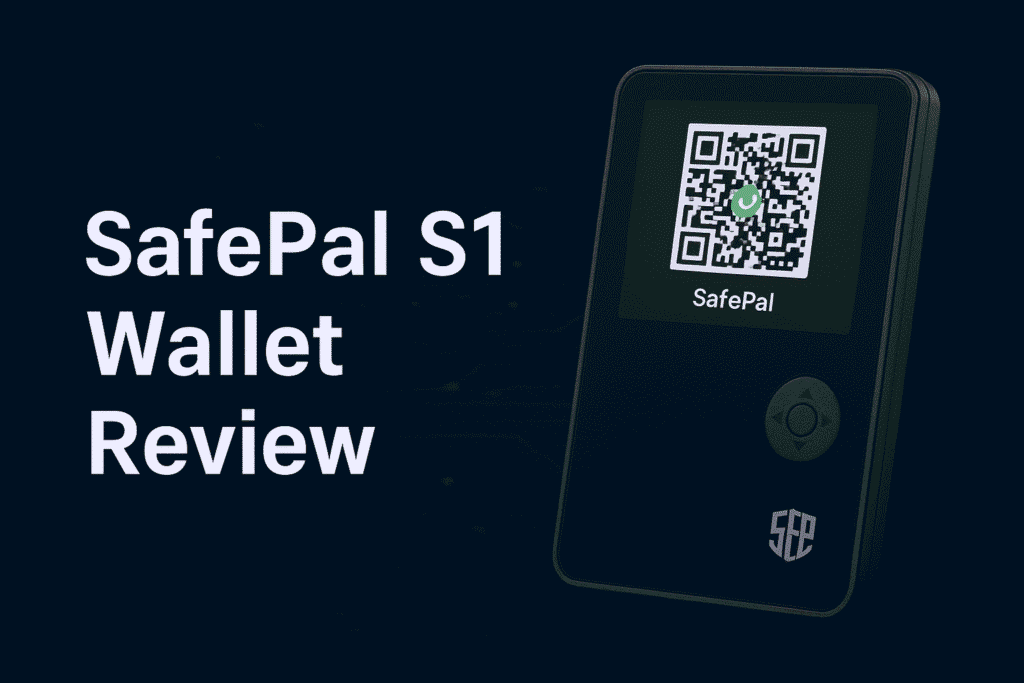
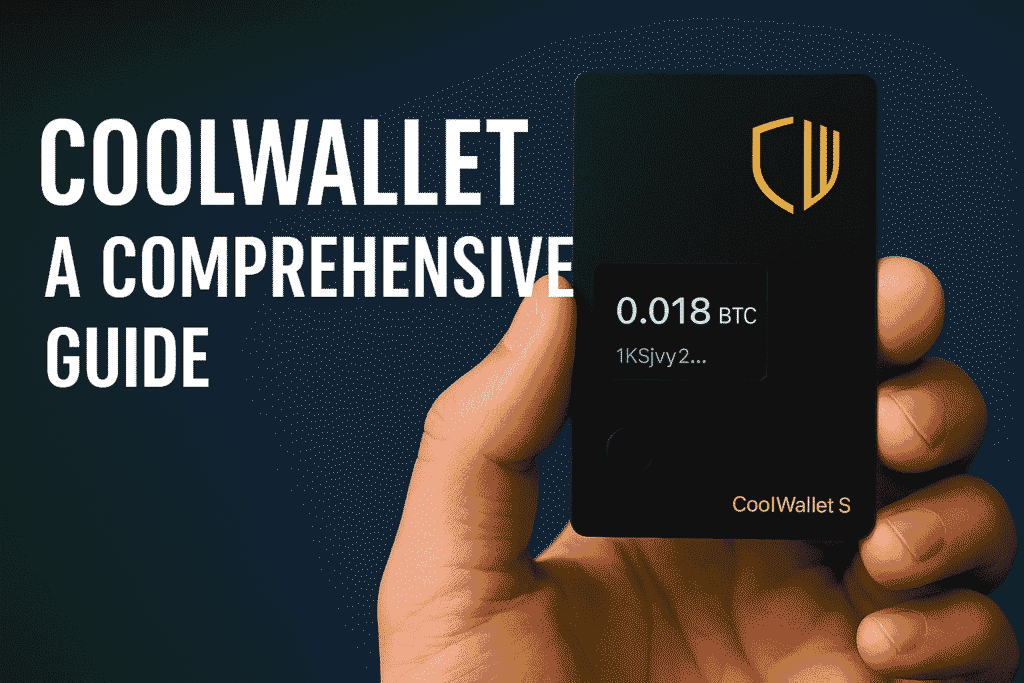
Looking at other alternatives? We’ve reviewed every major competing hardware wallet: the budget-friendly SafePal S1, the mobile-first CoolWallet S, and the premium KeepKey.
10. Which Ledger Model Should You Buy in 2026?
- Just getting started / budget-conscious: Nano S Plus ($79) — maximum Ledger security, zero unnecessary complexity. The right first hardware wallet.
- Mobile portfolio manager: Nano X ($149) — Bluetooth and battery for smartphone-first users who want the familiar button interface.
- Best overall value in 2026 ⭐: Nano Gen5 ($179) — touchscreen, Clear Signing, NFC, and Bluetooth at the lowest new-generation price. The obvious upgrade path from Nano S Plus or Nano X.
- Active DeFi user / daily trader: Flex ($249) — the larger E-Ink touchscreen and metal build make reviewing Clear Signing details fast and comfortable. Worth the premium if DeFi is your daily workflow.
- Premium buyer / NFT collector: Stax ($399) — curved E-Ink screen, Qi wireless charging, magnetic stacking, and NFT lock screen display. The best hardware wallet on the market, full stop.
After securing your funds in a hardware wallet, the next step many users take is learning how to move crypto between platforms safely. Our guide to withdrawing from Atomic Wallet covers sending to external addresses like your Ledger. If you hold NFTs, our NFT Transfer, Storage & Recovery guide walks through moving digital assets to cold storage.
11. Frequently Asked Questions
Is a Ledger hardware wallet worth it?
Yes — for any holding above $500, a hardware wallet is strongly recommended. Exchange failures (FTX, Celsius, Voyager) and exchange hacks have proven that keeping funds in third-party custody carries serious real-world risk. Ledger devices start at $79 and provide the most battle-tested hardware security available to retail users. The cost of the device is minimal insurance relative to what it protects.
Has Ledger ever been hacked?
No Ledger hardware device has ever been remotely compromised. The hardware security record is completely clean across more than a decade of operation. In 2020, Ledger suffered a customer database breach that exposed email addresses and physical mailing addresses — not private keys, not recovery phrases, and not funds. All user funds remained fully safe. The breach did result in targeted phishing attacks on affected customers, which is an ongoing risk to be aware of.
What happened to Ledger Live?
In October 2025, Ledger rebranded Ledger Live as Ledger Wallet. It’s the same core app with significant new features: direct dApp connectivity, OKX DEX integration for multichain swaps, a Cash-to-Stablecoin on-ramp via Noah, and Enterprise Multisig for institutional users. Download it from ledger.com only.
What is Ledger Recover? Should I use it?
Ledger Recover is an optional paid subscription service that encrypts your seed phrase and backs it up across three separate custodians (Coincover, Ledger, and EscrowTech). It requires KYC identity verification. It is entirely optional and off by default. The crypto community is divided — it proves firmware can access the seed phrase when the user authorizes it, which concerns self-custody purists. If you are confident managing your own recovery phrase securely, there is no need to use it.
What happens if I lose my Ledger device?
Your funds are completely safe as long as you have your 24-word recovery phrase. Buy a new Ledger from ledger.com, select “Restore from recovery phrase,” enter your 24 words in the exact original order, and your entire wallet is restored. Every account, address, and balance returns immediately. The physical device is just a tool — the recovery phrase is your actual wallet.
How many cryptocurrencies does Ledger support?
Ledger hardware wallets natively support over 5,500 cryptocurrencies and tokens, including Bitcoin, Ethereum, Solana, XRP, Cardano, Dogecoin, and thousands of ERC-20 tokens. You can also connect any Ledger device to third-party wallets like MetaMask, Phantom, and Electrum to access additional chains and dApps.
Can I stake crypto with a Ledger wallet?
Yes. Ledger Wallet supports staking directly for Ethereum, Cardano, Cosmos, Tezos, Solana, and other proof-of-stake networks. You earn staking rewards while your private keys remain fully offline — you never give up self-custody to stake.
Does Ledger work with MetaMask?
Yes. Any Ledger device can be connected to MetaMask as a hardware signer for Ethereum and all EVM-compatible chains. Your private keys stay on the Ledger device while MetaMask handles the interface — you get software wallet flexibility with hardware wallet security.
How do I contact Ledger support?
Ledger’s primary support channel is support.ledger.com, which includes a searchable knowledge base and a ticket system (24–48 hour response time). The r/ledgerwallet subreddit is also a large, active community for user-to-user help. On Twitter/X, @Ledger_Support handles general inquiries.
Final Verdict: Is Ledger the Best Hardware Wallet in 2026?
Yes — Ledger remains the most trusted hardware wallet brand in the world, with a clean device security record spanning over a decade and a lineup that now covers every budget from $79 to $399.
The Nano Gen5 at $179 is the biggest development of the 2026 lineup: it brings touchscreen controls and Clear Signing to the widest audience Ledger has ever reached at that price point, making the older Nano X feel largely outdated. For most users buying or upgrading in 2026, the Gen5 is the right choice.
Active DeFi users should look at the Flex. Long-term holders on a budget still get Ledger’s best security from the Nano S Plus. And for anyone who wants the finest hardware wallet available today, the Stax is genuinely in a category of its own.
Whatever model you choose: buy from ledger.com, protect your recovery phrase like the master key it actually is, and always verify every transaction on the device screen — never just your computer. Do those three things and your crypto will be as secure as it can be.
Disclaimer: This article is for informational purposes only and does not constitute financial or investment advice. Hi Tech Blogging is not affiliated with Ledger SAS. Prices are based on official Ledger pricing as of April 2026 and are subject to change. Always verify current pricing at ledger.com before purchasing.
- Trezor Hardware Wallet — Complete Review & Security Guide
- CoolWallet S — Mobile Crypto Security Guide
- SafePal S1 — Affordable Hardware Wallet Review
- KeepKey — Premium Hardware Wallet Guide
- Lost Your Seed Phrase? Recovery Options Explained
- NFT Transfer, Storage & Recovery — Complete Guide
- How to Withdraw from Atomic Wallet — Full Guide
- How to Withdraw from Kraken to Your Ledger Wallet
- How to Use a Bitcoin ATM for the First Time